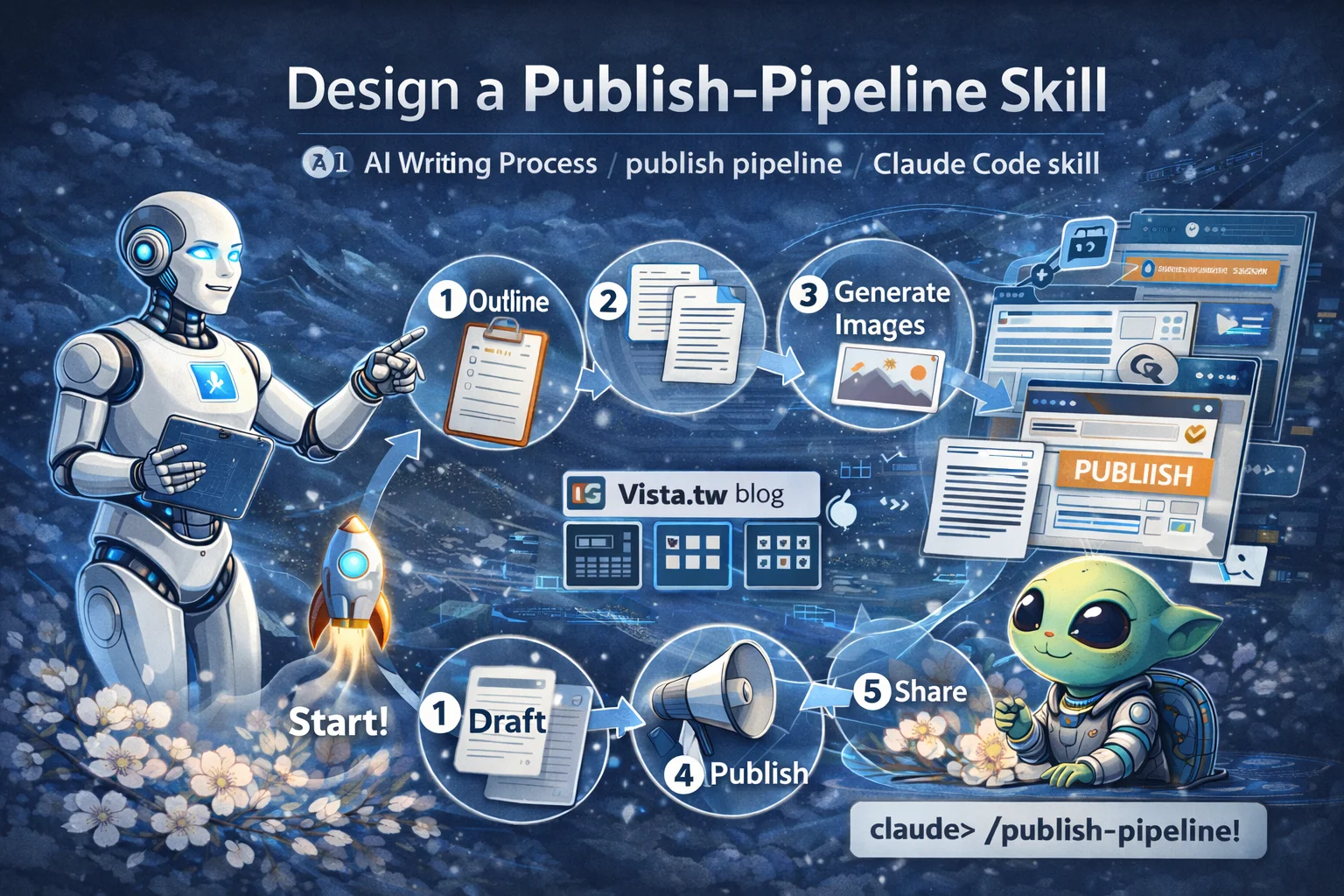
I imported 160 articles into Claude Code and got a personal practice coach
Don’t just finish reading an article. Turn it into action.
This is the principle I give myself in the AI era.
The starting point of everything
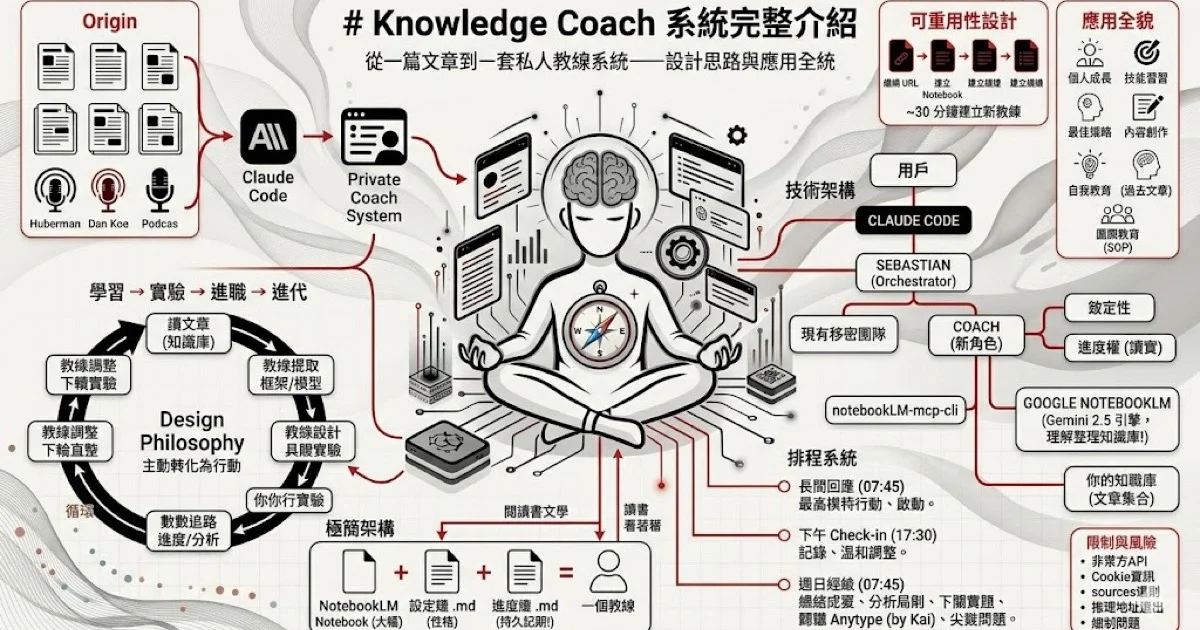
In early April, I saw an article on social media: Someone threw 300 episodes of the Huberman Podcast to Claude Code, and then let AI replace his fitness coach. Another creator took it a step further and did the same thing with 93 articles by Dan Koe, building an entrepreneurial coach in Obsidian.
After I read it, the first thought that came to my mind was not how cool it was, but could I make a universal version?
Because I don’t want to just be a coach. I want to make a system where anyone’s articles can be turned into coaches. A different author could have built it in 30 minutes.
So I spent an afternoon designing the entire architecture from scratch.
Let’s clarify the question first: why reading the article won’t change you
We’ve all had this experience: reading a very inspiring article, feeling enlightened in the moment, and then completely forgetting what we read three days later.
The problem is the disconnect between learning and action.
Reading articles is passive. You receive information and feel it makes sense, but there is no mechanism to help you convert “makes sense” into “what should I do today.”
That’s what a good coach does - he doesn’t just tell you, “You should focus,” he says, “Your experiment today is: between 9 and 10 a.m., turn off all notifications and do just one thing. We’ll see the results tomorrow.”
The difference is this: Coaches turn knowledge into verifiable experiments.
Design Ideas: What does a coach need?
I break down “coaching” into four components:
1. Knowledge base (coach’s brain)
Coaches need something to reference. Not general AI knowledge, but the frameworks and principles of specific thinkers.
I chose Google NotebookLM as the knowledge base engine. The reason is simple - it doesn’t just search for text fragments (that’s what general RAG does), behind it is Gemini 2.5, which can understand the context of the entire knowledge base and perform semantic synthesis.
In other words, it does not read to you, but responds to you after truly “understanding” the entire theory.
2. Profile (coach’s personality)
Every author’s style is different. Dan Koe is direct, in-depth, and zero bullshit. James Clear is concise, scientifically supported, and good at using stories.
Profiles define a coach’s style, rules, and workflow. Just one Markdown file and you’re done.
3. Progress file (coach’s memory)
The biggest problem with AI is amnesia. Every new conversation starts from scratch.
I solved it in a simple way - a Markdown file. The coach reads before each response and overwrites after each response. This file is the coach’s “memory”, recording your goals, experiments, progress, and things learned.
No vector library is required. A .md file is enough.
4. Scheduling (coach’s rhythm)
A good coach is not something you find only when you think of him. He will come to you.
I have set up three schedules:
- 7:45 a.m. — Review yesterday and design actions for today
- 5:30 PM — Ask what you did today
- Sunday morning — review the entire week and design experiments for next week
This forms a closed loop: learn → experiment → track → iterate. Automatic operation every day.
Implementation: from scratch to system online
Grab articles
The first step is to collect the URLs of all articles. I used the most direct method, connecting to the sitemap.xml of the website, and grabbing all article URLs.
There are 160 articles on the website. Catch them all and save them to CSV in less than 5 minutes.
Fill NotebookLM
Batch import URLs into NotebookLM. The free version has a limit of 50 sources per notebook, so I split it into three. Later, I discovered that the system fully supports multi-notebook query, and disassembling it has no effect.
Connect Claude Code
Install notebooklm-mcp-cli and connect NotebookLM to Claude Code with one line of instructions. From now on, Claude Code can directly query my knowledge base.
nlm setup add claude-codeEstablish a coaching framework
This step takes the most time to think about, but the actual execution is quick.我建了:
- Coach profile directory - contains all coaches’ profiles
- Set up a template - new coaches just copy the template and fill in the blanks
- Progress template - a progress file for each coach
- Coach role definition - let AI know that it is a coach and how to behave
Set schedule
Three scheduled tasks define when the coach will take the initiative to talk to you. Morning review, afternoon check-in, Sunday summary.
It took about 3 hours from the beginning of the design to the launch of the system.
First conversation with coach
After the system was built, I said one word: “coach”.
Claude Code immediately started the Coach role, read my configuration file, queried three notebooks, and responded with a complete initialization report:
- Extract 6 core mental models from 160 articles
- Designed 3 specific experiments based on my goals
- Each experiment has goals, steps, deadlines, success indicators, and risk assessments
- Finally asked me 3 tough questions.
That’s when I knew this system worked. Because it doesn’t just tell me “what such-and-such an expert said”, but applies his framework to my specific situation and then translates it into something I can start doing today.
I later told the coach that I had posted daily on Facebook, Threads, and the newsletter, and it immediately recalibrated the experiment—from “how to start” to “how to level up.”
It even pointed out my core question: “Are you currently sharing information or are you sharing a worldview?”
The power of universal architecture
What excites me most about this system is not the coaching itself, but its reusability.
Adding a new coach only takes 4 steps:
- Collect article URLs (10 minutes)
- Fill NotebookLM (5 minutes)
- Copy the setting template and fill in the blanks (5 minutes)
- Copy the progress template and fill in the goals (2 minutes)
30 minutes and you have a brand new coach.
Imagine these possibilities:
- Turn all of Naval Ravikant’s tweets into entrepreneurial coaches
- Turn Paul Graham’s prose into a thinking coach
- Turn your own past writing into a self-coach - let AI challenge you based on your thinking history
- Turn all chapters of a book into a reading coach – don’t just read them, finish them
This is not just a tool
Back to the beginning: Don’t just finish reading an article, turn it into action.
Knowledge Coach does just that. It turns passive reading into an active cycle of experimentation.
But I want to emphasize one point: Coaching is scaffolding. The goal is to eliminate the need for scaffolding.
As you continue to perform experiments, track progress, and make iterative improvements, the frameworks and principles from the article will slowly become internalized into your own way of thinking. At that point, you no longer need the AI coach—because you’ve become your own coach.
If you want to do it yourself
The technical threshold for the entire system is actually not high. All you need is:
-Claude Code
- Google Account (NotebookLM)
- A little Markdown editing ability
I have written a complete installation instruction, user manual and application manual. If you are interested, welcome to my AI community to obtain these resources.
The most important first step is not to install the tools, but to ask yourself: “If I could turn the wisdom of any person into my personal trainer, who would it be?”
The answer is your first coach.