You can make games even if you don’t know programming: How Mr. Innovation used Vibe Coding to create a “move your left and right brain” app
Why should I hold this event?
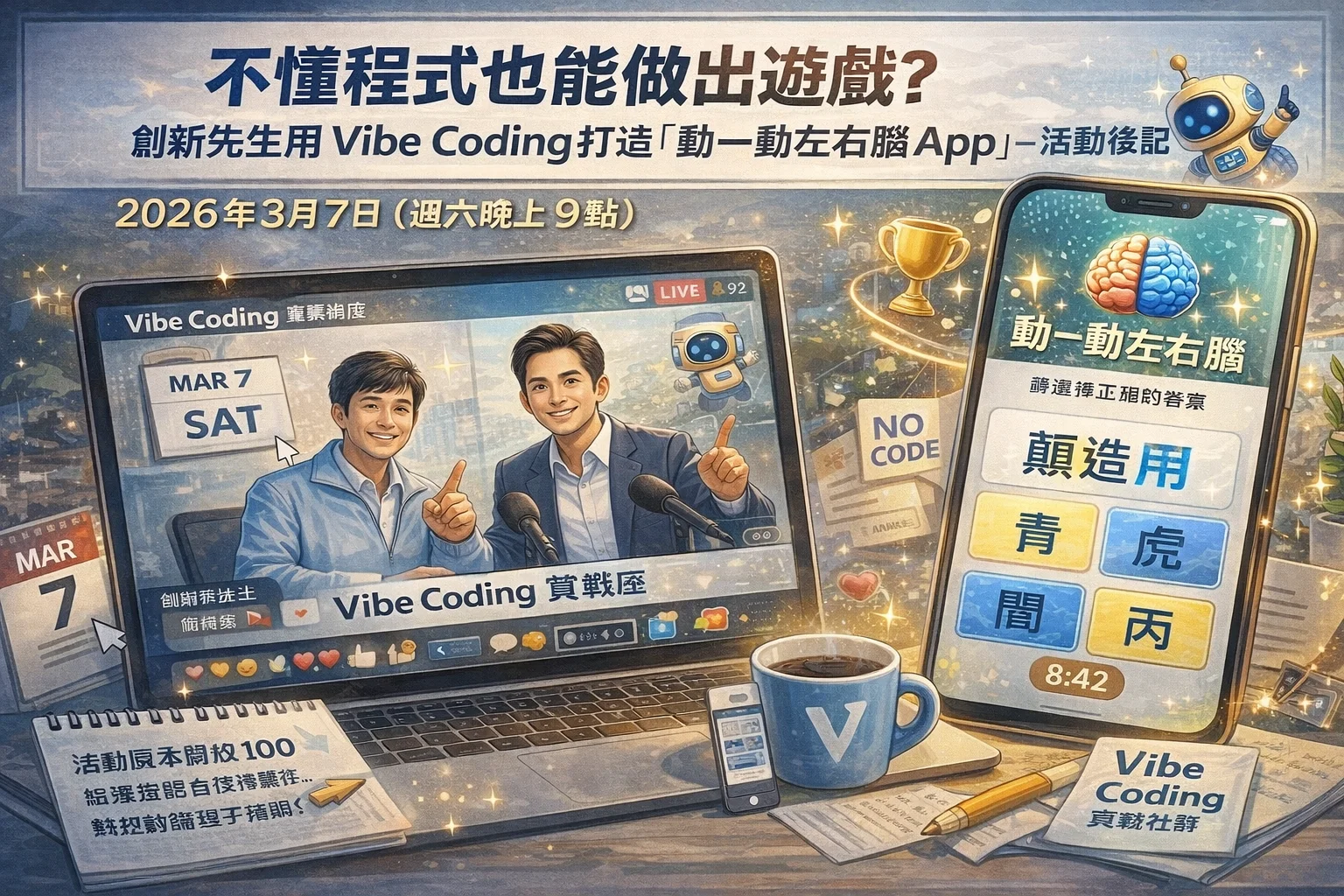
Yesterday (March 7) at 9pm, I held an online live lecture with Mr. Innovation (Chen Jianming). The registration quota for the event was originally only 100, but everyone’s enthusiasm far exceeded my expectations, and there were many people on the waiting list. Last night, more than ninety people actually participated, and the whole process was very lively. There were always people interacting and responding in the chat room, which made me very happy.
This article is my postscript to this event, and it is also the reason why this topic deserves to be well recorded.
One of the reasons why I wanted to host this event
To be honest, Vibe Coding has been discussed by more and more people recently, but I found a phenomenon: most of the discussions are about “how to use the tool”, “Which AI platform is best to use”, “Lovable and Cursor” Which one is better?” - These are very practical questions, but I think there is a more fundamental question that no one has answered well:
Can a person with no information engineering background produce his own work?
Not that it is possible in theory, but in reality, has anyone actually done it and is willing to explain the process clearly?
 *▲ Can you really create your own digital works without knowing how to program? *
Well, Mr. Innovation is such a person.
He is an innovation consultant and lecturer by profession and has been working in the field of innovation for 27 years. He has made innovative inventions, appeared on TV shows, and developed real physical products such as a working alarm clock and retractable and folding electric mosquito swatter. Although he majored in electronic engineering, he has never done any information engineering work, let alone designed game programs.
Just before the Lunar New Year this year, he came to participate in the [Vibe Coding Practical Workshop] (https://www.vista.tw/workshop/vibe-coding) I opened, and then - he really put it into action and built a creative game app.
This App is called “Mobile Left and Right Brain”. It can be played directly online. He also demoed it live for everyone to see in this live broadcast.
That’s why I said that this is not just a tool teaching, but a sharing of the real creative process. I believe that everyone who is still hesitating about “Can I do it?” should listen to his story.
Who is Mr. Innovation?
Before getting into the topic, I would like to let you know more about this speaker.
 ▲ Tonight’s speaker - Mr. Innovation Chen Jianming
Chen Jianming, whose online nickname is “Mr. Innovation”, is a management consultant whose expertise includes workplace innovative thinking, sales innovation, product innovation, problem analysis, and teaching of innovation tools and methodologies. He has accumulated nearly 30 years of practical experience in this field, and he not only teaches others to innovate, he is an innovative inventor himself - the running alarm clock and the telescopic and folding electric mosquito swatter are all works he has actually developed and appeared on media programs.
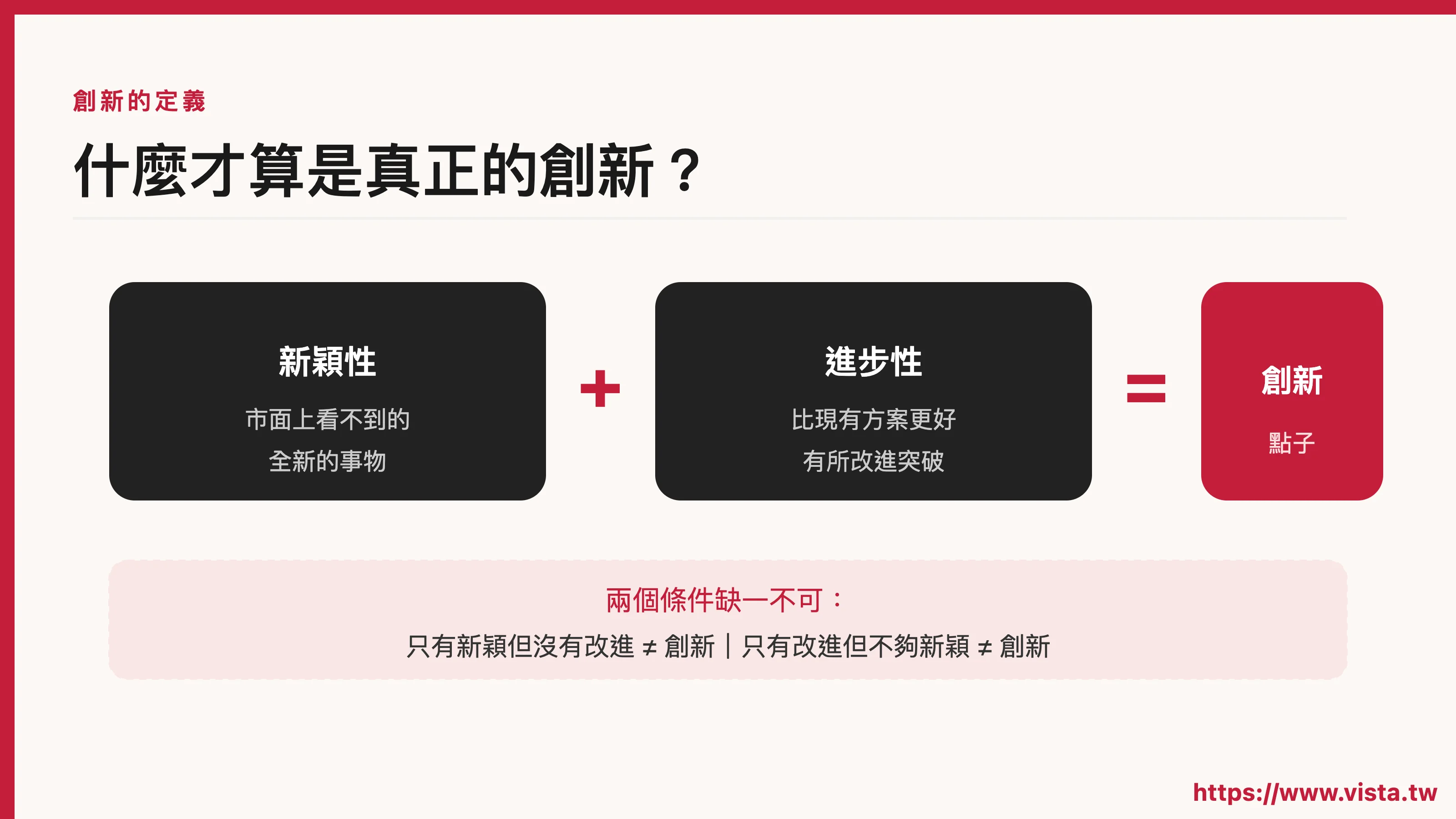 ▲ What is innovation?新颖性与进步性缺一不可
In other words, he is a person who has long used innovative thinking to solve problems, and this time, he used this thinking to solve the problem of “how to use AI to turn ideas into apps.”
The result was indeed achieved.
「动一动左右脑」App 是什么?
At the beginning of the lecture, Teacher Jianming took everyone to experience this app, which impressed me very much.
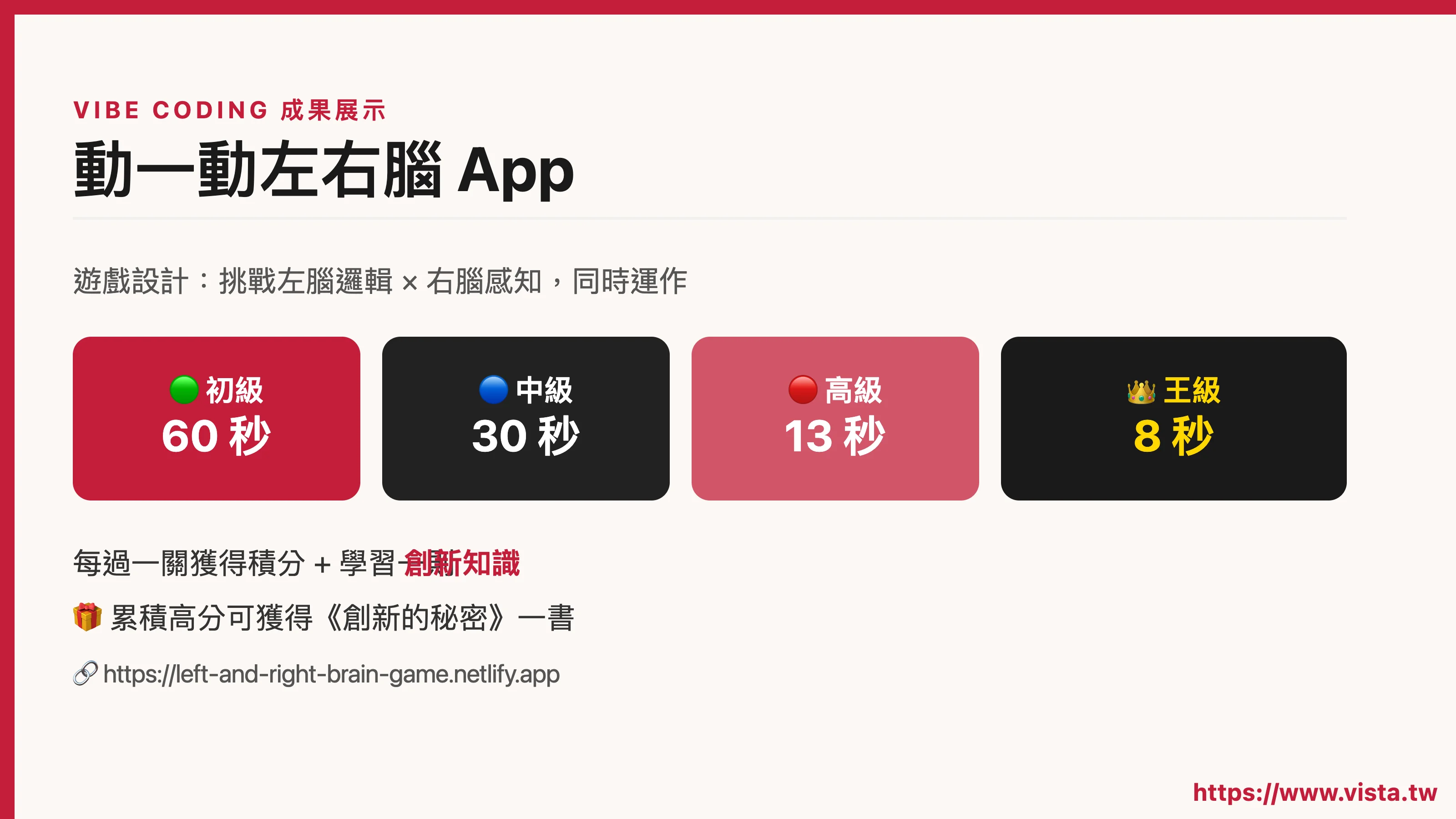 ▲ Mr. Innovation’s Vibe Coding results display
The gameplay of this game is actually very simple: a line of four Chinese characters will appear on the screen. For each character, some have to pronounce the original meaning of the character, and some have to pronounce the color of the character. The player must make a quick judgment and click on the correct answer from the options at the bottom of the screen.
It sounds simple, but when you actually play it, you will find that your brain is stuck - because this game requires you to use your left brain (processing words, logic) and right brain (perceiving colors, images) at the same time. The two brain areas switch at the same time and interfere with each other. It is this “stuck feeling” that creates fun, and also trains concentration and brain flexibility.
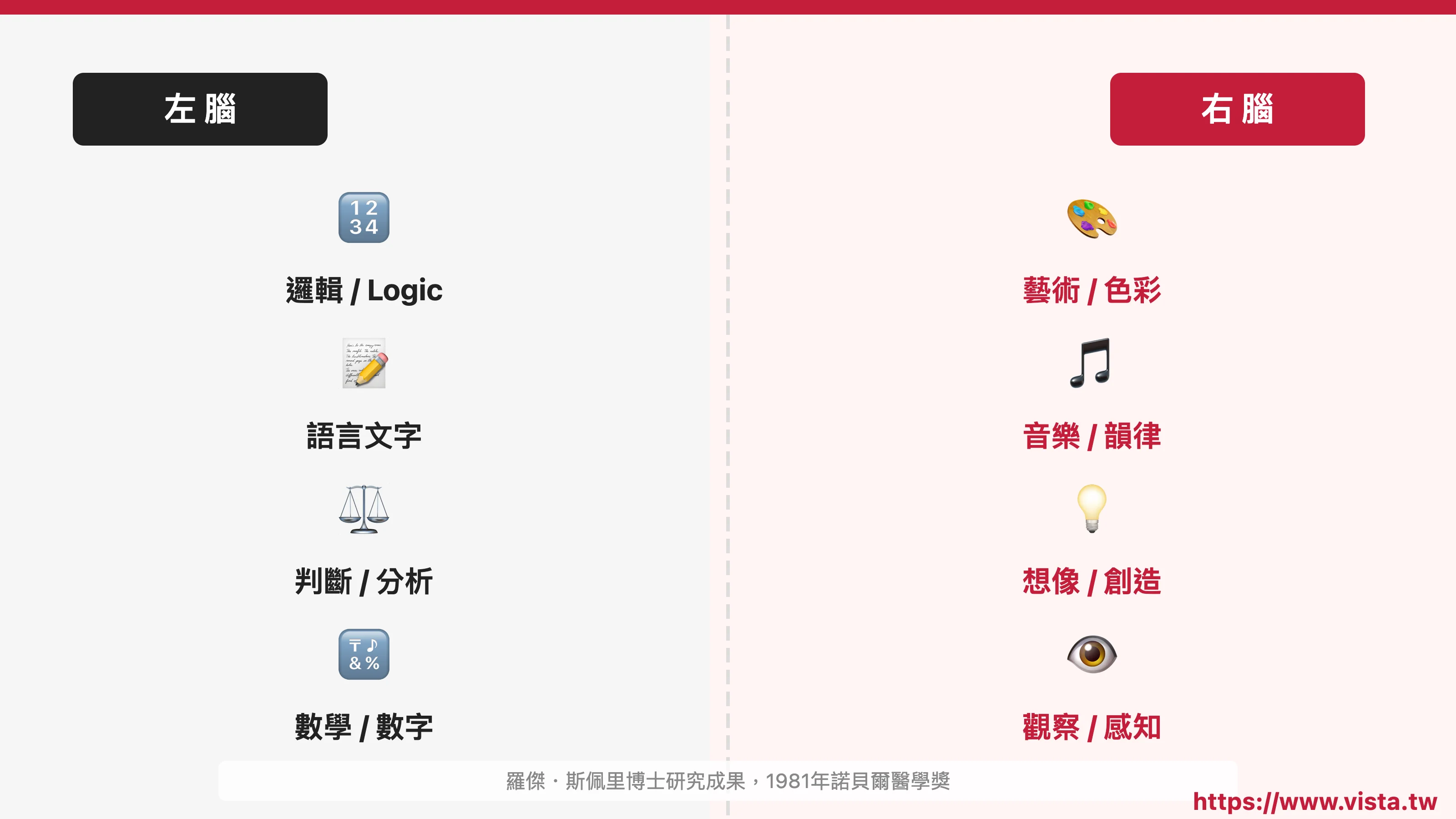 ▲ The left brain processes word logic, and the right brain perceives color images - both operate at the same time, which is the challenge
The game is divided into four difficulties: beginner (60 seconds), intermediate (30 seconds), advanced (13 seconds) and king level (8 seconds). You can earn points and learn innovative knowledge for each level you pass. In addition, if you accumulate a certain number of points, you will have the opportunity to obtain the book “The Secret of Innovation” written by Jian Ming.
The entire design is very complete, taking into account fun, learning and challenge. Was this really made by a person with no information background, relying on Vibe Coding? Yes, indeed.
Where does the inspiration come from? ——Mr. Innovation’s “Inspiration Making Machine Rules”
Next, teacher Jian Ming shared with everyone how the inspiration for this game came about. This part makes me feel very valuable, not only useful for Vibe Coding, but also very inspiring for anyone who wants to make content, products or services.
He mentioned that inspiration does not appear out of thin air, but there are steps to produce it. He calls this method the “Law of the Inspiration Making Machine” and its core logic is:
Innovative ideas must be novel and progressive at the same time. Both are indispensable to achieve true innovation.
Novelty means that this thing cannot be seen on the market; progress means that it has improved and made breakthroughs on the original basis.
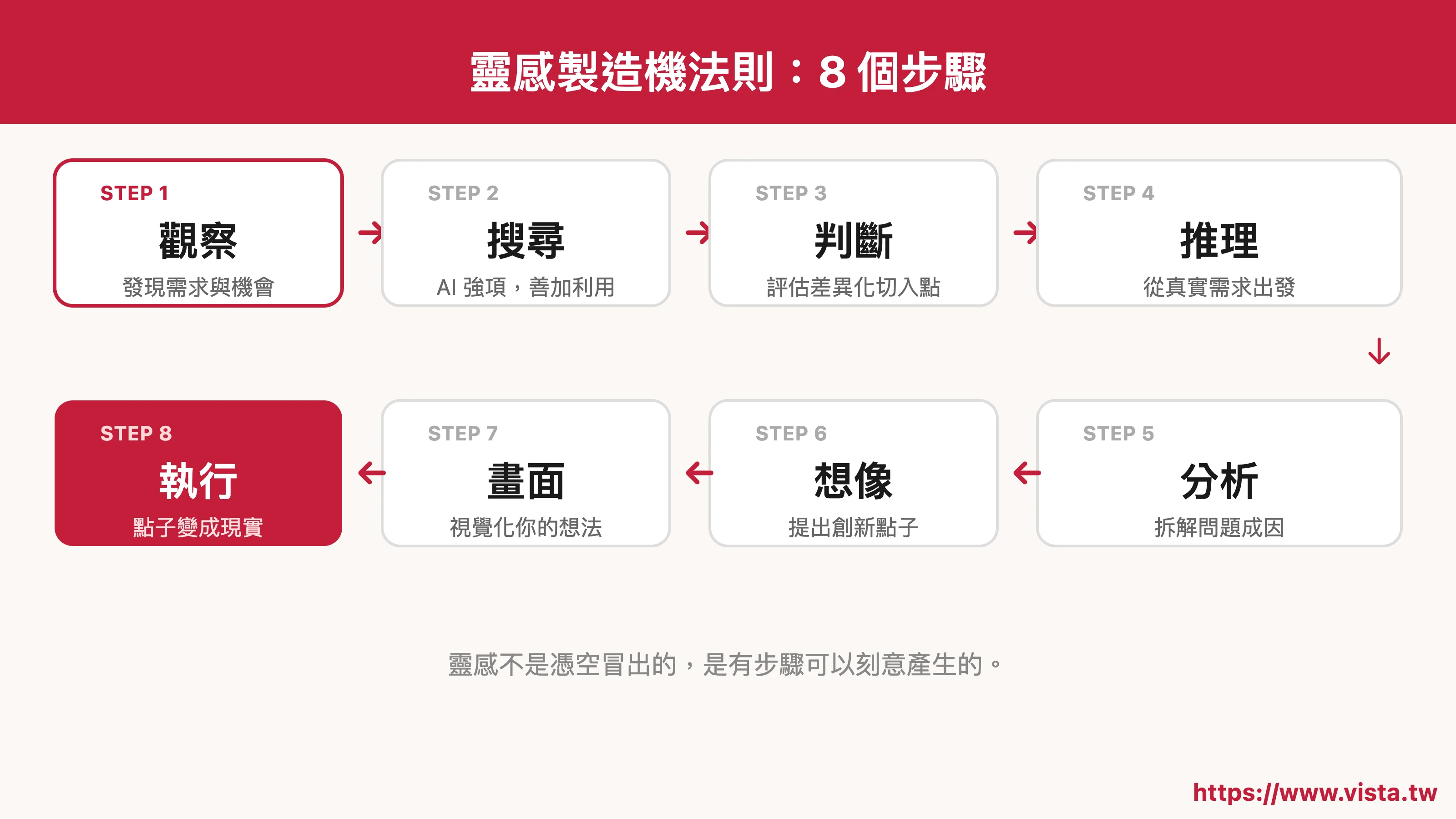 ▲ Eight steps of the Inspiration Maker Rules
After having this standard, he further explained the steps of the entire inspiration process, which are: observation, search, judgment, reasoning, analysis, imagination, picture and execution, a total of eight stages.
This structure resonates with me very much, because when I guide students to do Vibe Coding, I often encounter a problem: some people want to do it, but don’t know what to do; some people have ideas, but the ideas are very vague. Teacher Jianming’s process is actually a very good pre-work framework.
Four roles required for innovation: warrior, detective, painter and referee
Before explaining the inspiration steps, teacher Jianming first asked everyone to think about a question: What role do you play in the innovation process?
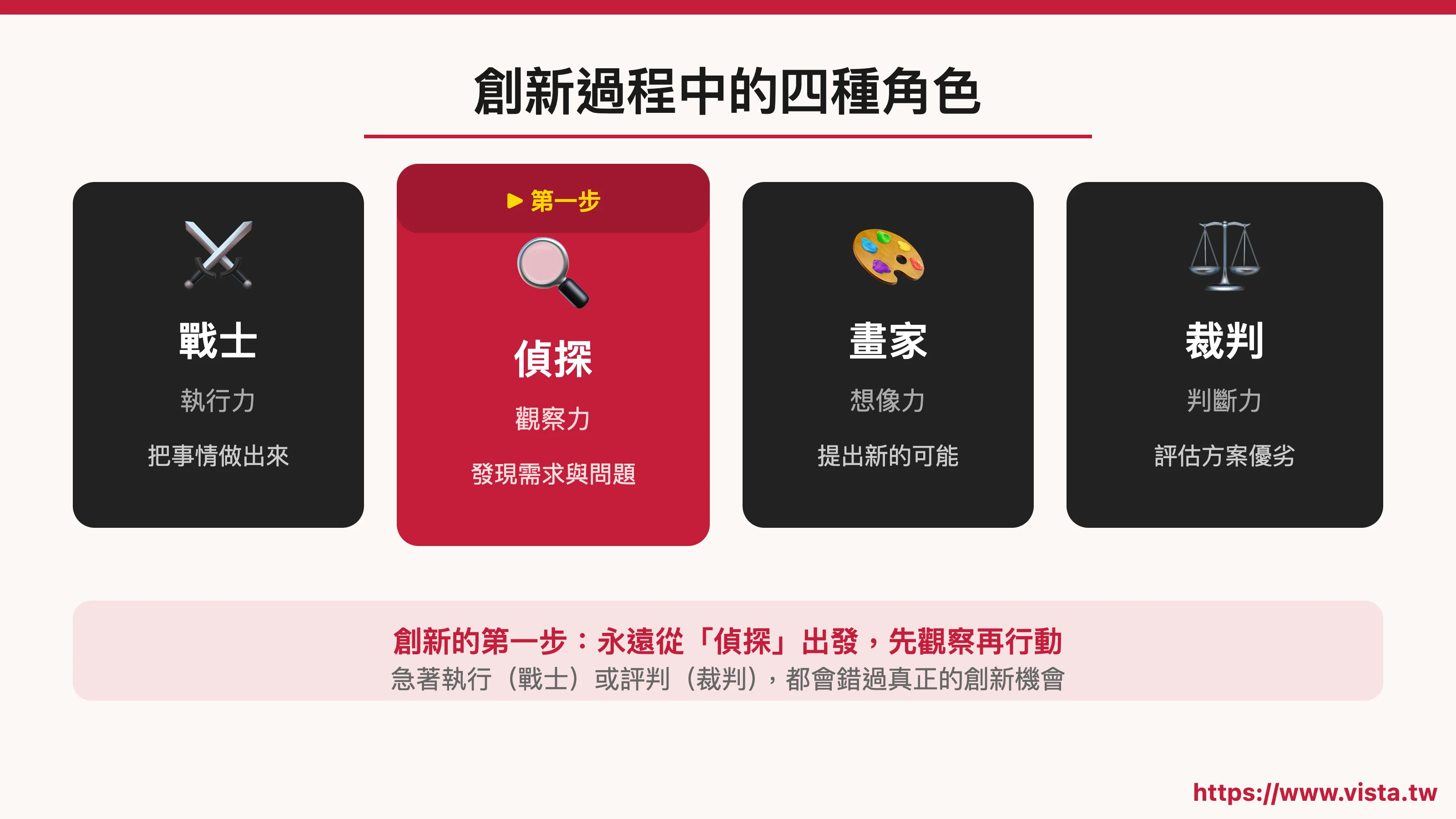 ▲ Four roles in the innovation process: warrior, detective, painter and referee
He divided the roles that innovators should play at different stages into four types:
- Warrior: Responsible for execution and getting things done
- Detective: Responsible for observation and discovering problems and needs
- Painter: Responsible for imagination and coming up with new possibilities
- Referee: Responsible for judgment and evaluating whether the plan is feasible
He asked everyone in the live broadcast: “In the process of innovation, who appears first?” There were various answers in the chat room, but the answer he gave was - Detective.
 ▲ The most important first step in innovation: Be a detective first and observe the needs
The most important first step in innovation is not to execute it immediately (fighters), nor to judge whether it is good or not (referee) immediately, but to observe first. Only by first discovering needs, seeing problems, and understanding the current situation can we make truly meaningful changes.
This perspective reminds me of many situations I see in teaching settings. Many students will rush to say “I want to make an app” when they first start doing Vibe Coding, but when asked what problem they want to solve, they can’t tell; when asked who the users are, they don’t know either. In fact, the problem is not that he didn’t work hard enough, but that he skipped the detective stage and rushed directly to become a soldier.
Back to the origins of this game: starting with a red envelope bag
Teacher Jian Ming shared the source of inspiration for this “Move your left and right brain” app, and the origin was beyond everyone’s expectation - he was inspired by a physical innovative work he had designed before, which was Left and Right Brain Creative Red Envelope Bag. The gameplay of this red envelope bag is to design the auspicious words on the red envelope bag into a set of puzzles that need to be judged by both the left and right brains. For example, for the four words “Happy New Year”, the meanings of “新” and “年” must be pronounced, and the colors of “kuai” and “乐” must be pronounced. Players must tell the correct answer according to the rules, which not only increases the fun of the red envelope, but also trains the flexibility of the brain.
After having this prototype, he began to search further: What are the shortcomings of existing left and right brain games?
He found that most left- and right-brain games on the market only require players to pronounce the color of a word, rather than the original meaning of the word. Although this is a bit challenging, it actually only stimulates the right brain and does not really train the left and right brains at the same time.
Therefore, this discovery allowed him to find the entry point for differentiation: designing a game that can truly use both the left and right brains at the same time.
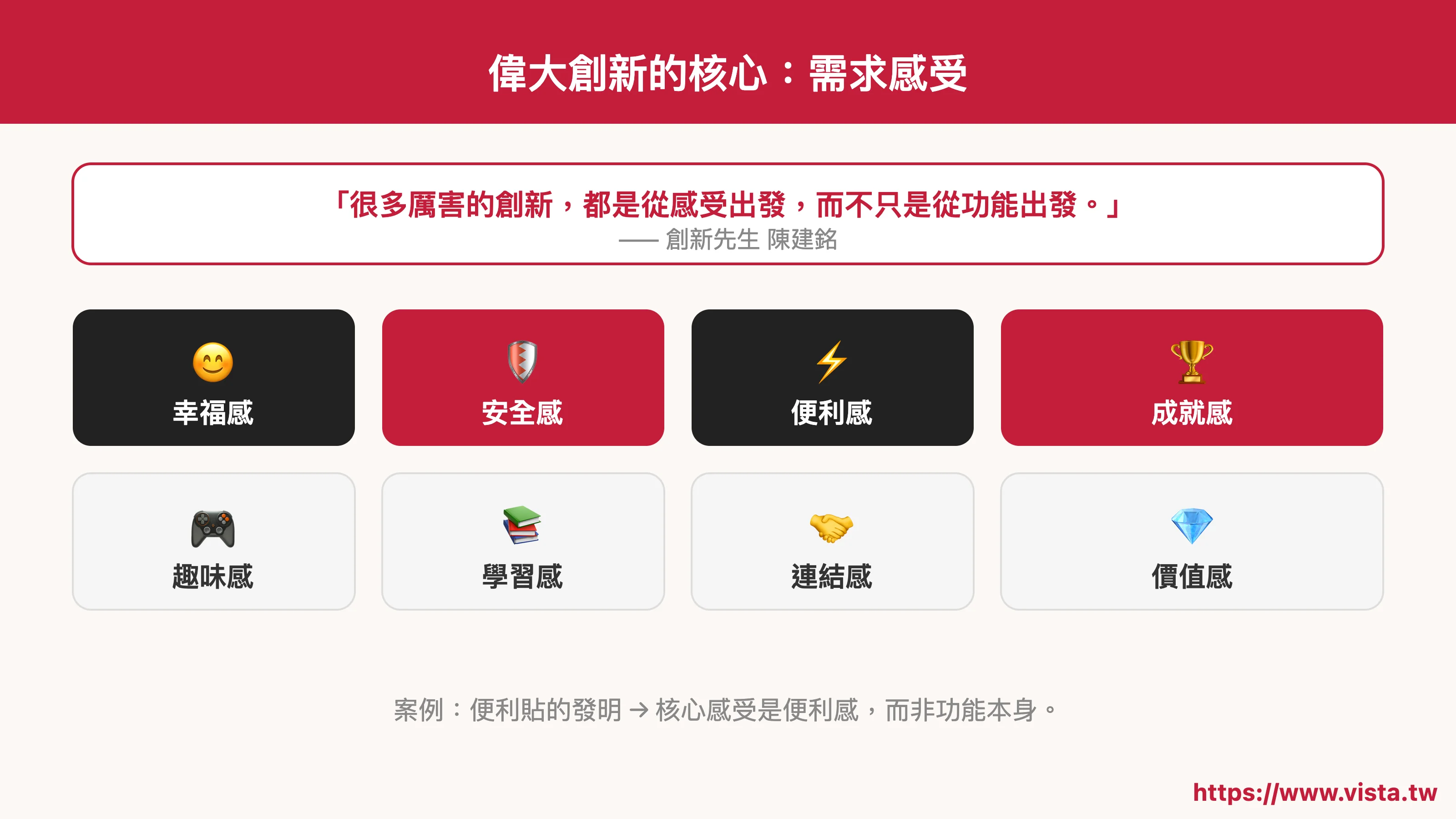 ▲ The core of great innovation: in-depth understanding of users’ needs and feelings
Next, he used the demand feeling table to analyze what experiences players wanted most - a sense of fun, a sense of achievement, a sense of challenge, and a sense of learning. He used object elements and changing elements to design game details, including how many words in a line, how many seconds the time is set, and what kind of feedback mechanism best allows people to continue playing.
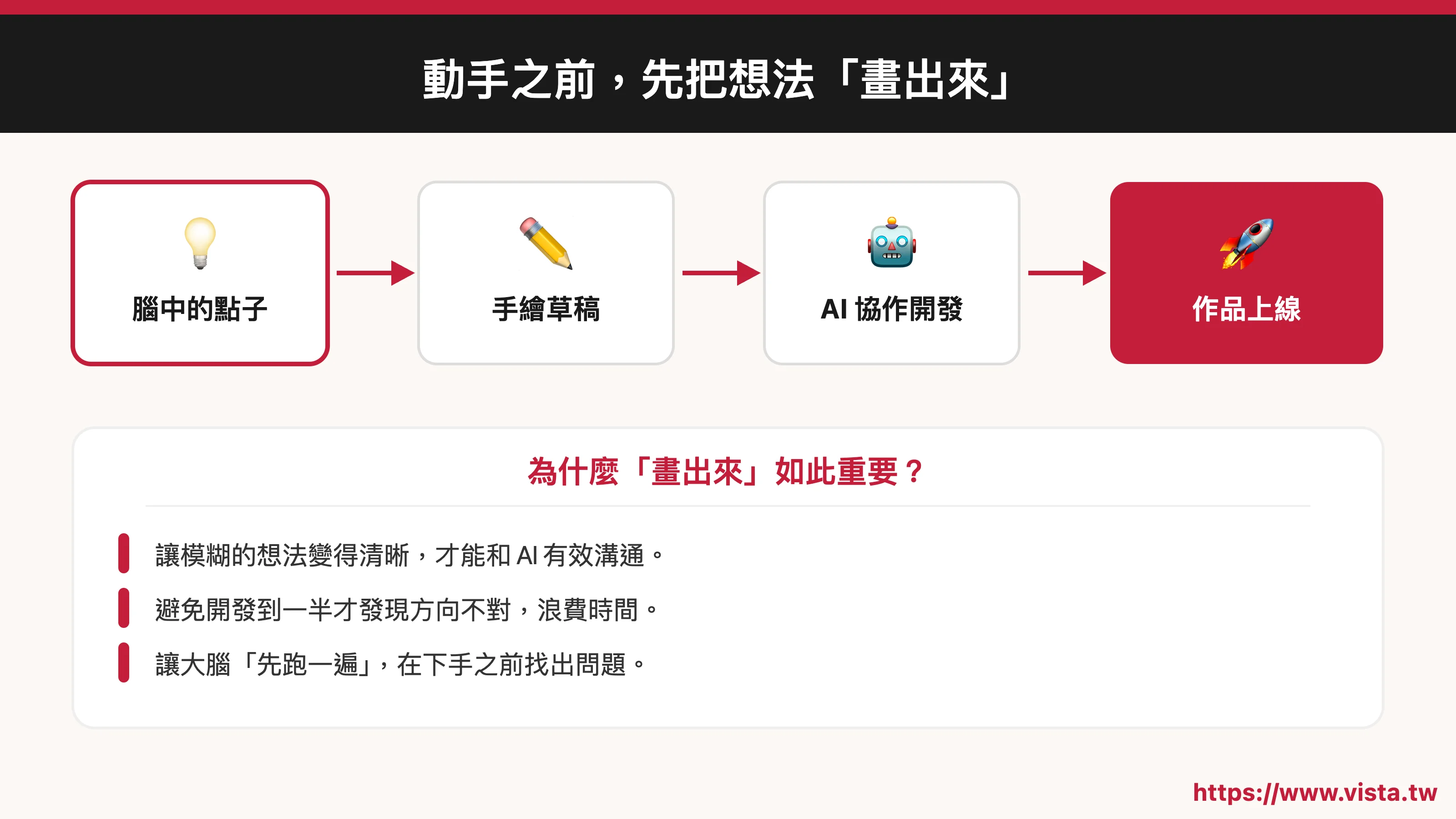 ▲ Before taking action, “draw” your ideas - visualization is the best communication tool
Finally, he drew the entire game’s screen flow step by step to form a clear visual blueprint, and then used this blueprint to work with AI tools to create it.
Tools for Vibe Coding: From Antigravity to Netlify
The main tool used by Teacher Jianming is Google’s Antigravity, which is a development environment that can describe the desired functions in Chinese and allow AI to automatically generate program code. The operation method is very intuitive: enter the function description you want in the right window, the corresponding code will run on the left, and you can also preview what the current screen looks like.
After completion, he deployed the results to Netlify so that the game can truly be browsed and used by everyone on the Internet.
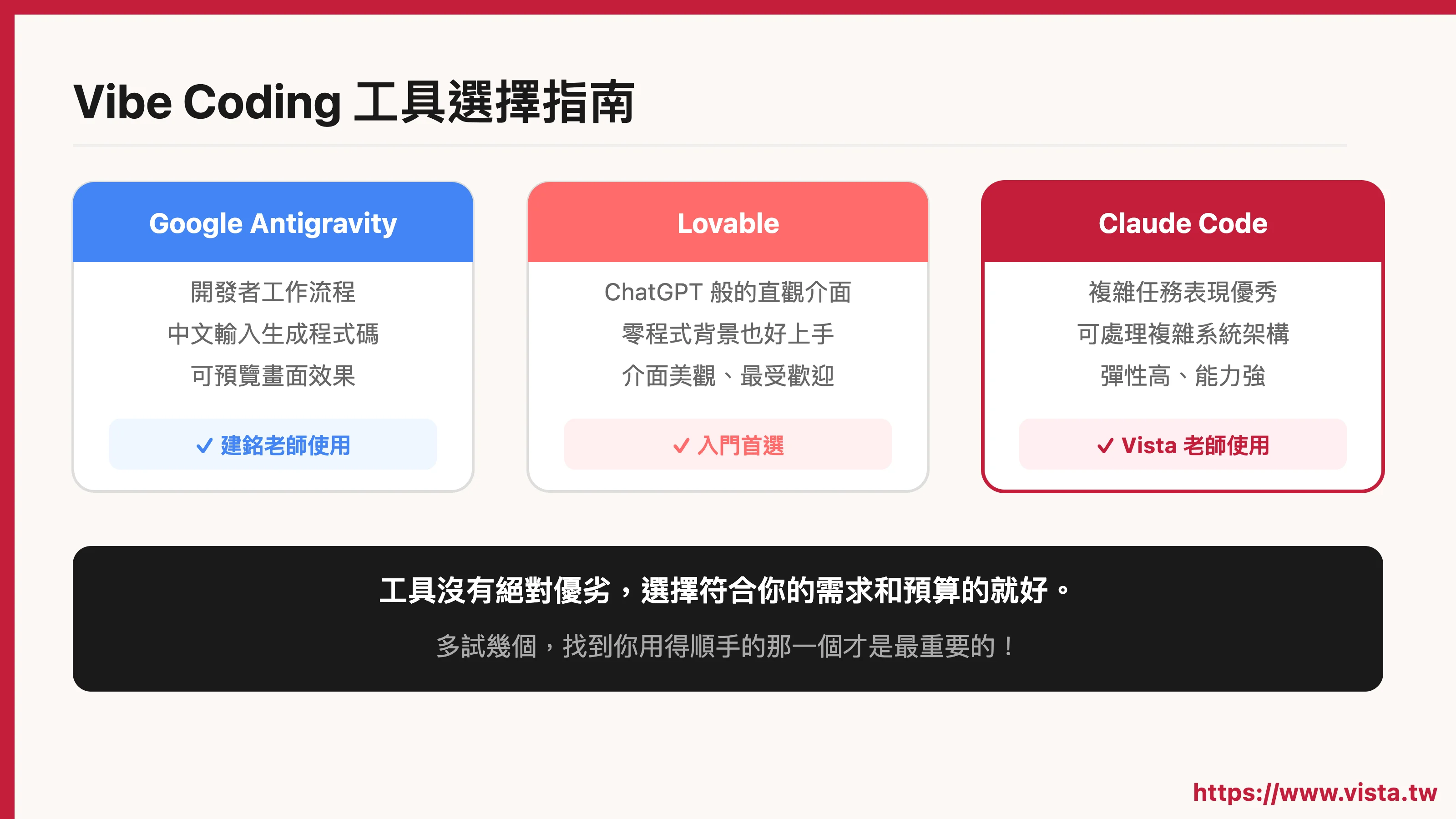 ▲ Vibe Coding Tool Selection Guide: Find the development tool that suits you
During the live broadcast event, I also added that there are actually many tools for Vibe Coding, including ChatGPT’s Codex, Lovable, Claude Code and so on. Each tool has its own characteristics: Antigravity is biased towards the workflow of program developers; Lovable’s interface is relatively intuitive and as simple as using ChatGPT, and is suitable for people with no programming background to get started; Claude Code is the tool I use most often, and it performs very well when handling complex tasks.
Each tool has its own characteristics and strengths. There is no absolute advantage or disadvantage. The key is to find something that is easy to use, fits your budget, and can support the development you want to do!
Three key steps for those with non-engineering backgrounds
Throughout the live broadcast, Teacher Jianming summarized his key steps from scratch to making an app. I think it is worth recording it.
 ▲ Three key steps for those with non-engineering backgrounds
Step 1: Learn the basic operation of the tool
You don’t need to learn all the functions, you just need to know what this tool can do and how to operate it. This stage does not take long, the focus is to eliminate the unfamiliarity with the tool.
Step 2: Implement the idea with ideas
Before you start working with a tool, draw out what you want to do—not code, but a visual flowchart or rough draft. What should be shown in each screen? What is the process? Think these things through first before starting to collaborate with AI.
Step 3: Confirm step by step, then go down
After each step is completed, confirm whether the result is correct before proceeding to the next step. Don’t try to do all the functions at once, but break it into small pieces and stack them one by one like stacking blocks.
 ▲The Power of Iteration: Over 200 Continuous Corrections
He particularly emphasized that the development process of this “move your left and right brain” app went through more than 200 iterations. This is not something that can be done in one go, but a process of continuous correction and gradual convergence.
Many people think that Vibe Coding can make an app in one sentence, but the reality is: you need a very clear idea, very patient iteration, and the willpower not to give up every time you encounter a bug.
My five-hour challenge: Make an event registration system from scratch
During the Q&A session, a partner asked about the process of how to go online after the UI, and I also shared a case of my own.
A few days ago, Mr. Innovation and I decided to host this live broadcast, and I just wanted to say: Since I am teaching Vibe Coding, why not just make an event registration system and let everyone use this system to register?
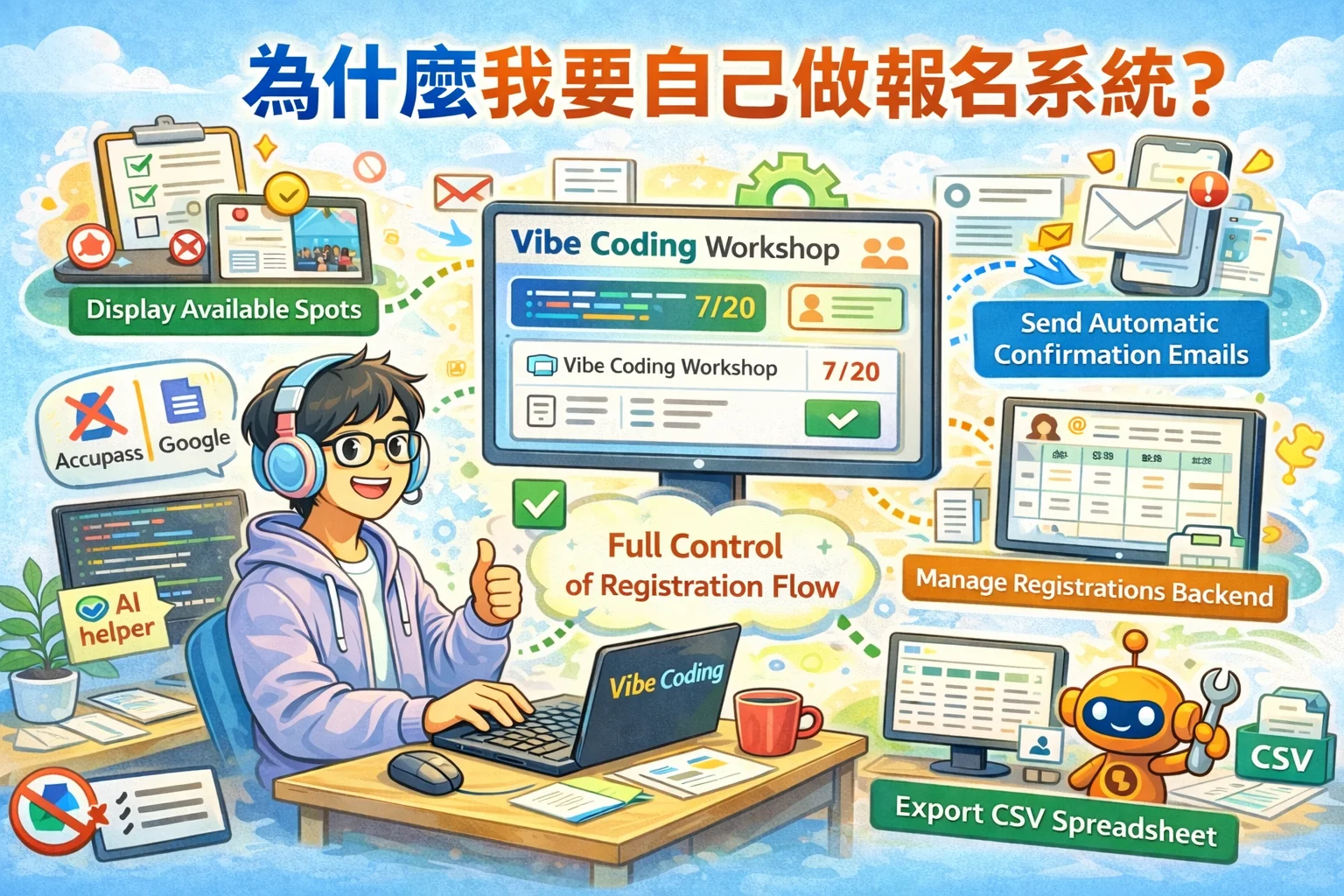
So, at 7:30 yesterday morning, I started developing. By 12:30 noon, the event registration system was completed, which took about five hours.
There are actually many details in this system, including: editing of event content, setting of ticket types and prices, sending of confirmation letters, management of waiting lists, sending of reminder notifications… Every step is not something you can just think about, but you need to think through the entire process carefully before taking action.
Everyone usually signs up to participate in many activities, but not everyone can clearly explain the complete process of signing up for activities. If you can’t even explain the process clearly, no matter how powerful the AI is, it won’t be able to help you make the system good.
This is why, before starting Vibe Coding, it is so important to “think clearly about the requirements and draw the process.”
 ▲ Ideas are not valuable, execution is valuable - but before executing, think through the idea first
💡 **想亲手体验 Vibe Coding 的威力吗? **
The [Vibe Coding Practical Workshop] (https://www.vista.tw/workshop/vibe-coding) I opened will take you from creative idea to production online, using natural language and AI collaboration to create your own digital works.不需要任何程式基础,只要带着你的想法来就好!
Which things should be done by humans and which things should be done by AI?
During this live broadcast, there was a question that I thought was worth pondering: Collaboration between AI and people is the future trend. So which tasks should be handed over to AI and which tasks should be done by people themselves?
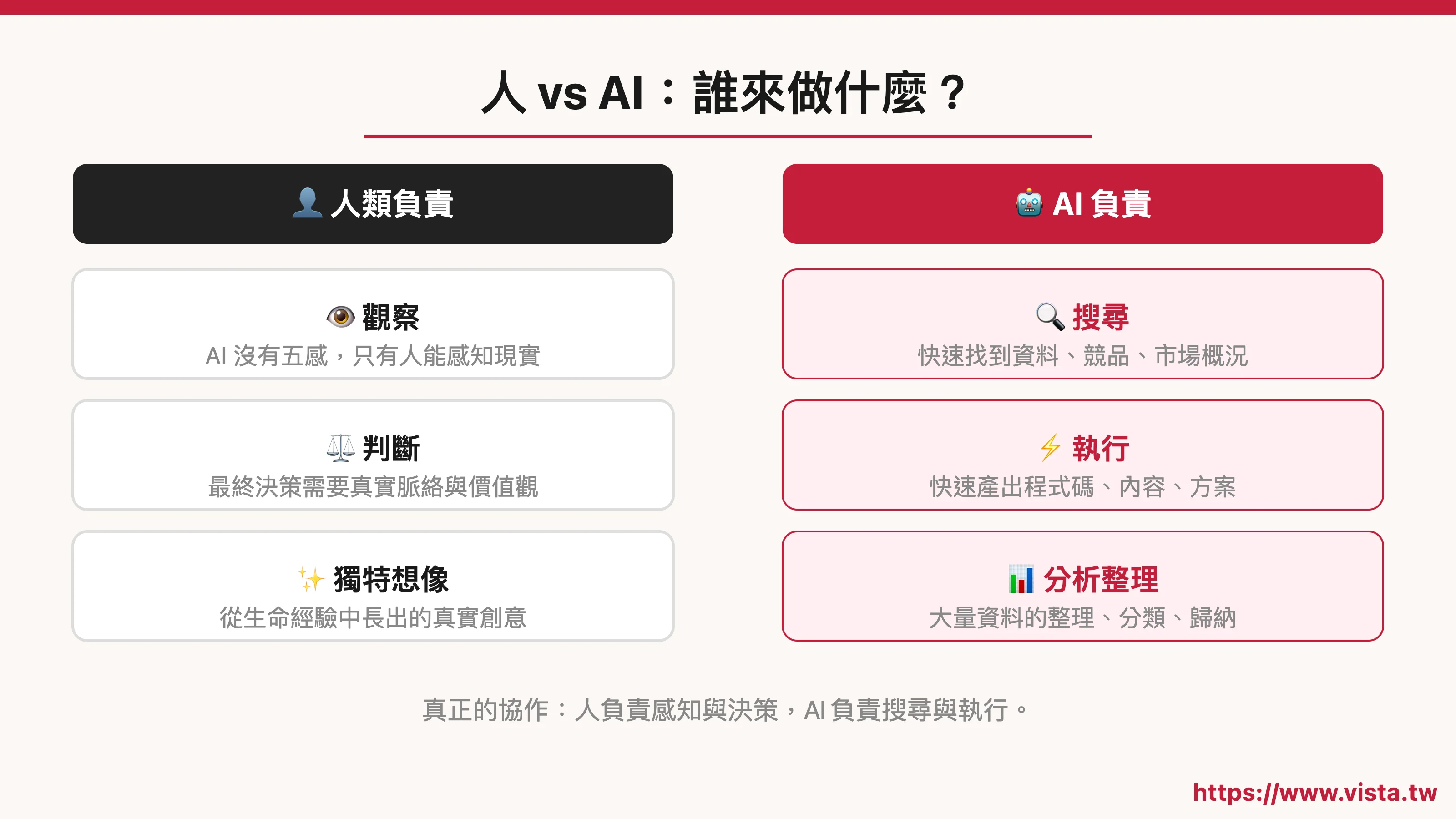 *▲ Division of labor between humans and AI: Who will do what? *
Teacher Jianming’s answer is this:
- Observation must be done by someone. Because AI currently has no five senses—no delicate senses of vision, no touch, no sense of smell, and no sense of taste—only humans can observe the real world and perceive the details of life.
- Search, this is the strength of AI. If you want to quickly find existing information, competitive product analysis, and market overview in a certain field, AI can do it faster than humans.
- Judgement still needs to be done by someone. Although AI can make suggestions, in the end “whether this direction is right and whether this decision is a good one” should be judged by people with real context and values.
- Imagine, humans and AI have their own strengths. AI’s imagination is pieced together from databases, while human imagination grows from life experience.
- Execution, you can rely heavily on AI. Feeding clear ideas to AI and letting it help you quickly produce code, drafts, and content is the core value of Vibe Coding.
Many people think that AI can replace thinking, but in fact, what AI can best help is execution, not perception and judgment. The most unique ideas often grow out of people’s delicate observations and feelings about the real world.
Vibe Coding is not just about making games
Although this live broadcast is about developing games, I want to emphasize one thing: Vibe Coding can do much more than that.
What you can do with it:
- Personal website or personal brand page
- Event registration system (just like what I did the day before yesterday (/blog/vibe-coding-build-event-registration))
- Course sales page or Landing Page
- Psychological tests or interactive questionnaires
- Tracking and recording tools (habit tracking, reading records, weight records…)
- Small games or interactive entertainment applications
- Any process that you find cumbersome at work and want to automate
The key is not what you do, but whether you have clearly thought about the needs and sorted out the process.
My postscript about this event
After this event, I had a strong feeling:
Real cases are more powerful than any tool teaching.
Teacher Jianming is not an engineer, not a designer, or a so-called technology person, but he has made a complete app that can be played. What he uses is not magic, but the observation, analysis and imagination that he has honed in the field of innovation for many years, plus the Vibe Coding tool to realize it all.
This makes me even more convinced of one thing: **The real threshold for Vibe Coding is never whether you understand the program, but whether you have a clear idea and the courage to try it. ** There are more than 90 partners in this live broadcast, and everyone comes with their own ideas. I hope that after listening to it, everyone will not only find it interesting and inspiring, but actually make something of their own.
Even if it’s just a simple web page, even if it’s just the most youthful gadget, that’s the first step in turning your idea into reality.
 *▲ Could you be the next person to turn your ideas into works? *
Want to continue learning Vibe Coding?
If you want to learn more about Vibe Coding, Welcome to register I offer a practical course on Vibe Coding. The next two classes will start on the morning of March 21st and April 12th respectively.
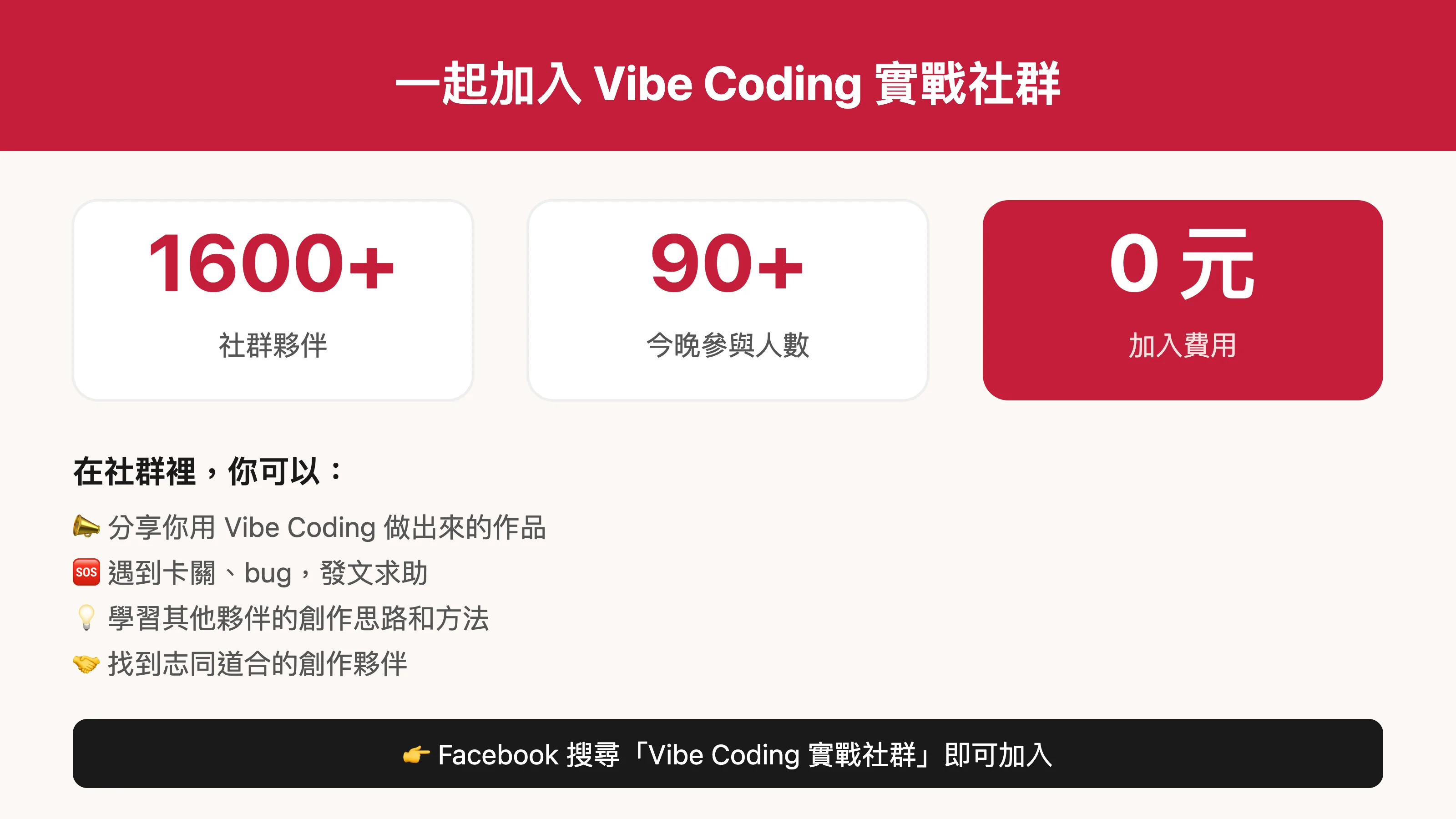 *▲ Join the Vibe Coding practical community together! *
In addition, we also have a Facebook community “Vibe Coding Practical Community”, which currently has more than 1,600 partners, where everyone shares their works, exchanges about problems encountered, and encourages each other. You are welcome to join, let us learn by doing and grow while learning.
Further reading
- Vibe Coding: It doesn’t matter if you don’t know how to program, use natural language to create your digital works
- Using Vibe Coding to build an event registration system: a real development review by a non-engineer
- Complete guide to personal branding in the AI era: from positioning, content to monetization, understand it at once
External resources
- Mr. Innovation’s official website
- “Use your left and right brain” game
- Vibe Coding Practical Community (Facebook Community)