From a pile of materials to eight promotional videos: It only took me half a day to turn the clips into an AI system
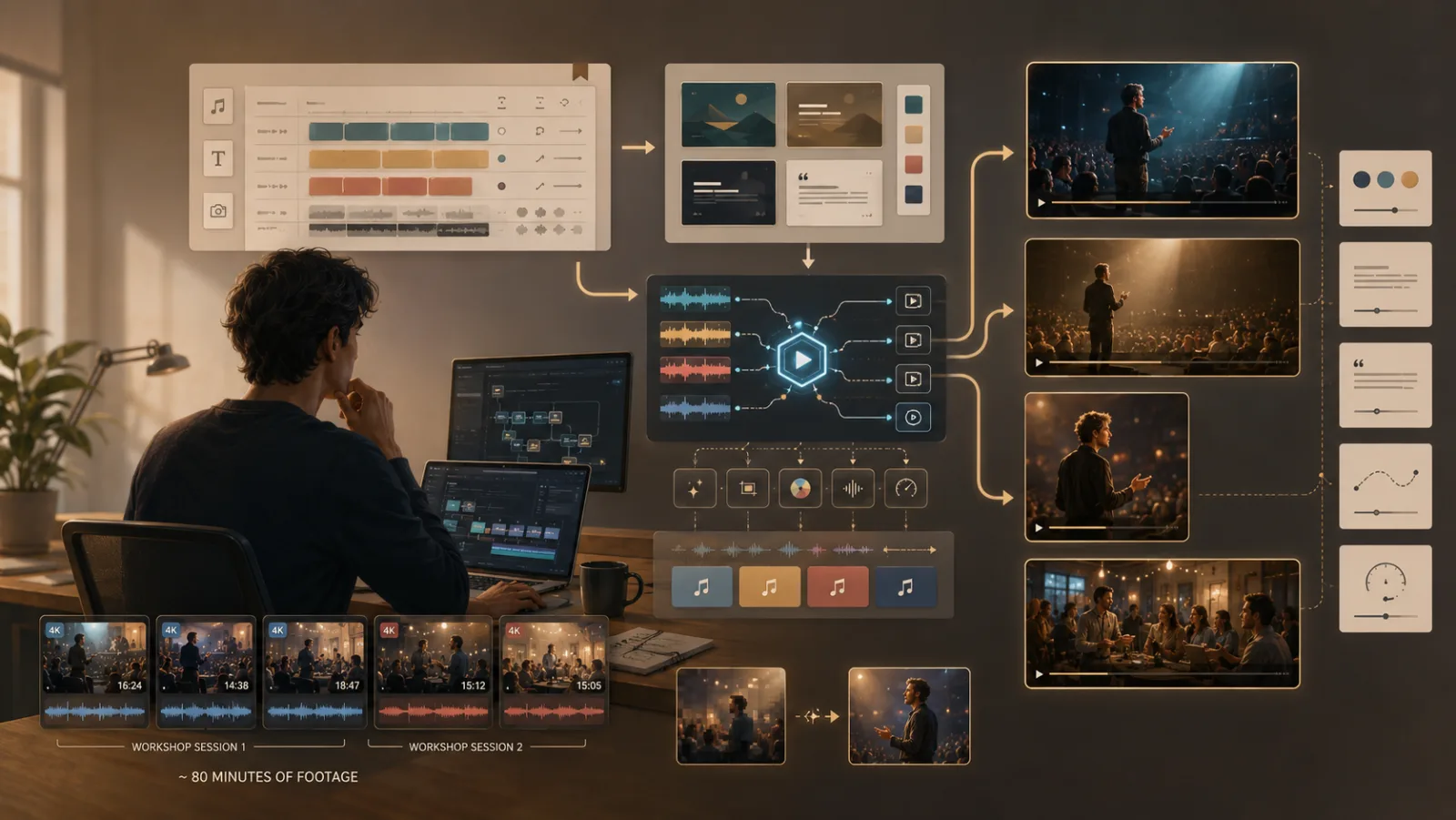
On the table are live videos of the two workshops. Five files, totaling eighty minutes, all in 4K quality. This is the record left by my AI content production system workshops held at the end of June and one in mid-July. Just having the material is not enough, the next step is the difficult part: cutting it into a promotional video that can be used externally.
In the past, I knew exactly what that meant. Spend an afternoon with a cup of coffee, dragging, aligning, and fine-tuning the timeline, and then look at it again the next day. If you feel the rhythm is wrong, start over again. It’s okay to cut one, but I want several, horizontal ones for YouTube, straight ones for Reels, one for fast tempo, and one for cinematic feel. Just thinking about the process makes me tired.
So this time I changed my approach. I didn’t rush to edit the film, but spent half a day to make a system that can edit the film. This idea is actually not new. I have always believed that the starting point for making full use of AI is not to choose tools, but to dismantle the workflow. Editing is a good exercise.
Build the factory first, then produce
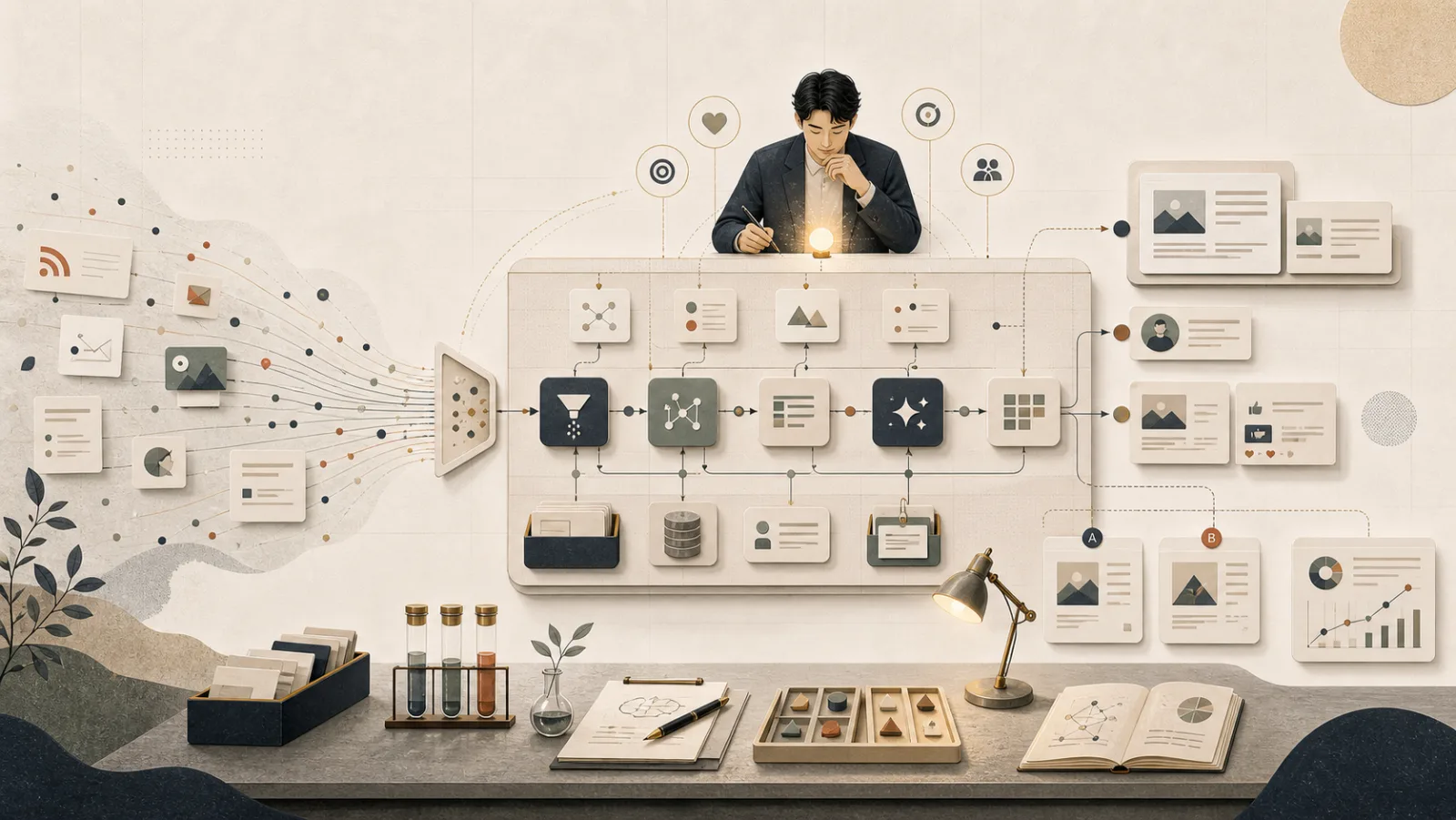
This system actually only has three parts, but when taken apart, the logic is very clear.
The first part is a cut list. Which piece of material, how many seconds to start, how many seconds to stay, whether the color should be warm or cold, and whether the camera should slowly zoom in, all are written in a pure text profile. It’s not a film, it’s a film score.
The second part is a set of modules that can grow character cards on their own. For the title, the opening card, the call to action at the end, and the key subtitles at the bottom of the screen, I don’t use any design software. I just write the text, and the system uses web page layout to generate pictures one by one. If you want to change a word or a color, just change the settings.
The third part is the engine that combines the first two. It reads the score, captures each segment from the 4K master tape, corrects the color, adds camera movement, stacks the cards, connects the transitions, lays down the sound, and finally outputs the film.
It took me less than half a day to build this factory. Although it is fast, it also encounters bottlenecks in the middle. For example, I accidentally duplicated a setting. As a result, the number of frames in each segment increased thousands of times. A short film was stuck for ten minutes halfway through. I even thought the material was too big. Find it out and change it, just one line before and after. This kind of pitfall is the daily life of do-it-yourself systems. It is not romantic, but if you fix it once, everyone will benefit from it.
Today, I will use it to the end
With the factory built, now comes my favorite part: production.
From the same batch of materials, I created four styles in one go. Fast-paced horizontal commercials, cinematic image films with a lot of white space, direct short videos for the community, and live recordings of both events. Horizontal and straight, fast and slow, all grow from the same material.
The following two are the results of the same batch of materials and the same system. One is a horizontal quick-cut for YouTube and Facebook, and the other is a vertical short video for the community. Word cards, subtitles, camera movements, and soundtracks are all automatically assembled by the system.


What really impressed me was the back and forth revisions that followed.
At first, the AI got the course name wrong. It only relied on the few words it saw on the projection screen to infer, and then wrote the copy in that direction. Ultimately, I didn’t explain the positioning of the course clearly first, so it could only be guessed. When I look back, this is actually a course on AI content production, and the whole set of terms needs to be changed. In the past, this meant four films were re-edited. This time, I changed the text settings, and a few minutes later, the new version came out.
Then I wanted to remove a certain statement, because I treat each workshop as an independent one and don’t want it to be talked about as a series. Change one line. I want to add one-sentence promotional subtitles to the entire quick-cut version of the film so that people can understand it even if the sound is muted. Write nineteen sentences and hang them up. I want to change the URL at the end to the registration page and change it all at once. Finally, I matched the background music I found, one command per video.
Every time, I thought I needed to re-cut, but in the end I just changed the settings and pressed re-run. This is the most practical bonus after turning the process into a system: the cost of modifications drops from hours to minutes.
What’s so convenient about this system?
If I were to explain its benefits clearly, they would probably be these four points.
One source produces many. A batch of materials comes in, and different layouts, styles, and lengths come out together. You are not editing a video, you are running a library of materials, investing once and monetizing it repeatedly.
Read the draft first before releasing the feature film. The system can quickly produce a preview in low quality first, with the rhythm, fonts, and color correction correct, and then spend time producing a high-quality master tape. I don’t have to wait for a complete calculation just to see the effect.
Text is setting. All copywriting and word cards are readable text and are not buried in the layers of the editing software. If you want to change the title, change the sentence, or adjust the subtitles, you can change it by opening the settings file. Even my assistant can understand it.
Change the soundtrack with one line of instructions. I’m going to use this song today, but if I want to change it tomorrow, I don’t have to cut it again, just change it in one line.
Three things I really took away
Tools come second. What I have thought about for a long time in the past two days are some experiences about collaboration.
First, the AI will rush forward very efficiently according to the premises you give. It guessed the wrong topic of the course at first and didn’t think much about it. It just competently wrote the wrong copy quickly and beautifully. It’s not him that’s wrong, it’s the premise I gave. This incident reminds me: the greater the leverage of output, the more important it is to clearly explain the premise before taking action. If you go in the wrong direction, efficiency will only get you to the wrong place faster. This is why I always say, The prompt words will expire, but you will not. What is really valuable is your ability to clearly explain the problem and premise.
Second, the real value of the system is to turn repetitive skills into assets you own. The feel of cutting, the preference of color palette, and the style of calligraphy cards were all locked in my hands and the current state. This time, they are written into settings and mods. When the next batch of materials comes in, the same language is directly reused. What I have accumulated is no longer just a work, but a production line. This feeling of incorporating AI into the workflow is actually the same thing as the “When AI Becomes My Editor” I shared before.
Third, some levels can only be left to humans. Whether the music sounds good or not, which shot is more touching, and whether this sentence of copywriting speaks to your heart, these are tastes and judgments, and AI cannot help me. What it can do is free me from the labor of moving materials and aligning the timeline, so that I can spend my energy on where I really should decide. In this version, I even deliberately left the final choice of the soundtrack to myself. The system was only responsible for letting me change it with one line of instructions.
The same logic can also be applied to your research and writing
This “build system first, then repeatedly produce” approach is not only applicable to film editing. When you replace materials with documents and films with papers, it’s actually the same thing: handing over repetitive processes to an AI system that you can run over and over again. If you’re doing research, or need to write a lot, I’ve put this method together into a hands-on workshop.
Written for you who are also fighting alone
Lately I’ve been talking about one-person companies, and I’ve been practicing working with my AI army. The experience of these two days has helped me polish an idea even more brightly: What I want is never to let AI replace the creation itself, but to turn what I know how to do and have to do over and over again into a production line that can be re-run at the touch of a button.
If you want to see the more technical side behind this system, how I orchestrate AI as a team and how I verify what it hands back, I wrote a companion piece you can read alongside this one: I Let AI Take Over Video Editing: Growing a “Materials In, Finished Videos Out” Workflow in Half a Day.
What you save seems to be time, but actually it is willpower. By handing over repeated losses to the system, you can retain the energy to decide where to go.
The materials are still the same batch of materials. The difference is, this time, I’m not tied to it.
If you also want to turn the above AI content production method into a system that you can run over and over again, welcome to the AI Content Production System Workshop I opened in my one-person company solo.tw (opens in a new tab). I usually put more ideas for creators and independent workers at content.tw (opens in a new tab), and you are welcome to visit vista.tw often.
Next step
Bring this topic to your team
Vista Cheng speaks and runs workshops on AI workflows, writing and content systems for companies, schools and public agencies.