Vibe Coding: It doesn’t matter if you don’t know how to program, use natural language to create your digital works
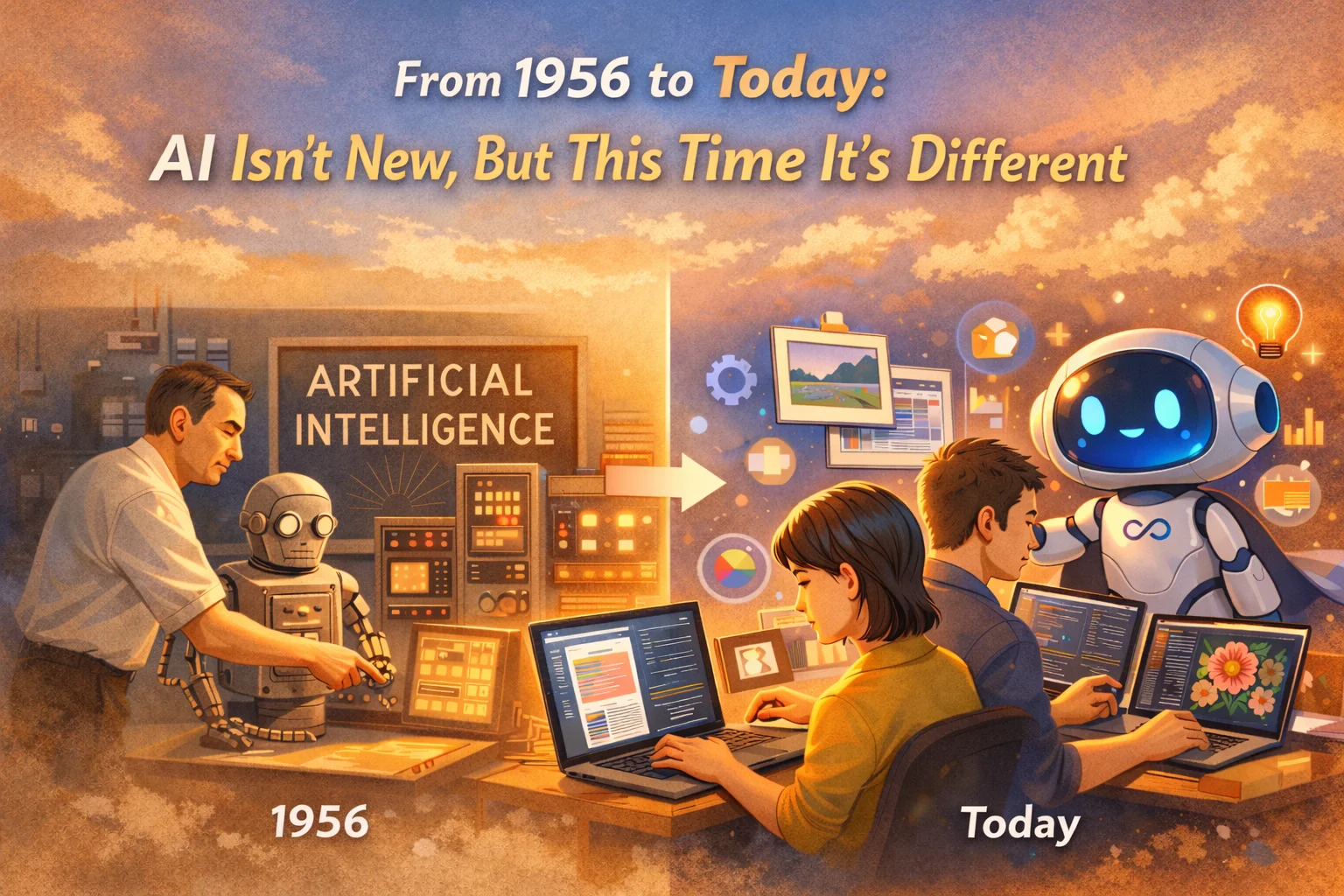
From 1956 to Today: AI is not new, but this time is different
Many people think that AI is a new thing that has only appeared in the past two or three years, but this is not the case. As early as 1956, the concept of artificial intelligence has been around for nearly 70 years. However, in the past, AI was the preserve of engineers and a few experts and scholars, and ordinary people could hardly feel its existence. However, the explosion of generative AI in the past two or three years has completely changed this landscape - it is no longer out of reach, but closely related to each of us’ work and life.
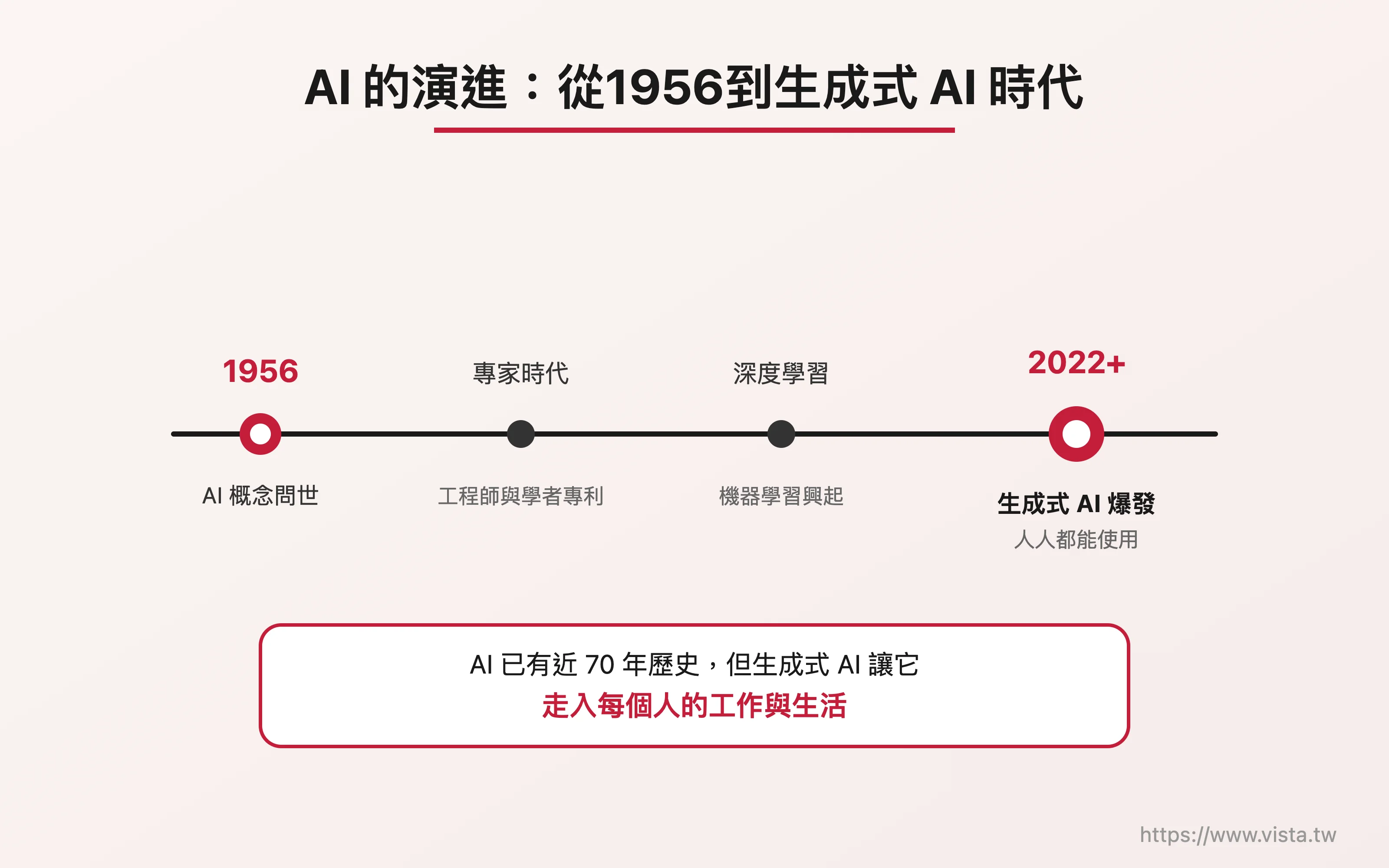 ▲The evolution of AI: from 1956 to the era of generative AI
Today’s AI can be said to be “proficient in all kinds of skills.” It can not only write articles and draw pictures, but also design websites, conduct data analysis, assist learning, and even complete various technical development. In the past we thought these were things only engineers could do, but now people from all walks of life—including teachers, administrators, or freelancers—can collaborate through AI. This is indeed a huge change and an unprecedented opportunity.
Passing Score in the Age of AI: No More 60
Before AI became commonplace, our passing standard for work results was about 60 points. But now, AI can help us do whatever we want, and it may reach the level of 60 points. This means that our passing threshold has been raised to 80 points, 85 points, or even 90 points. It is conceivable that competition will only become more intense in the future, and we must continue to improve our capabilities in order to stand out.
The five most important core abilities in the AI era: questioning ability, communication ability, judgment ability, learning ability and creative ability. These are not technical thresholds, but soft skills that everyone can improve through practice.
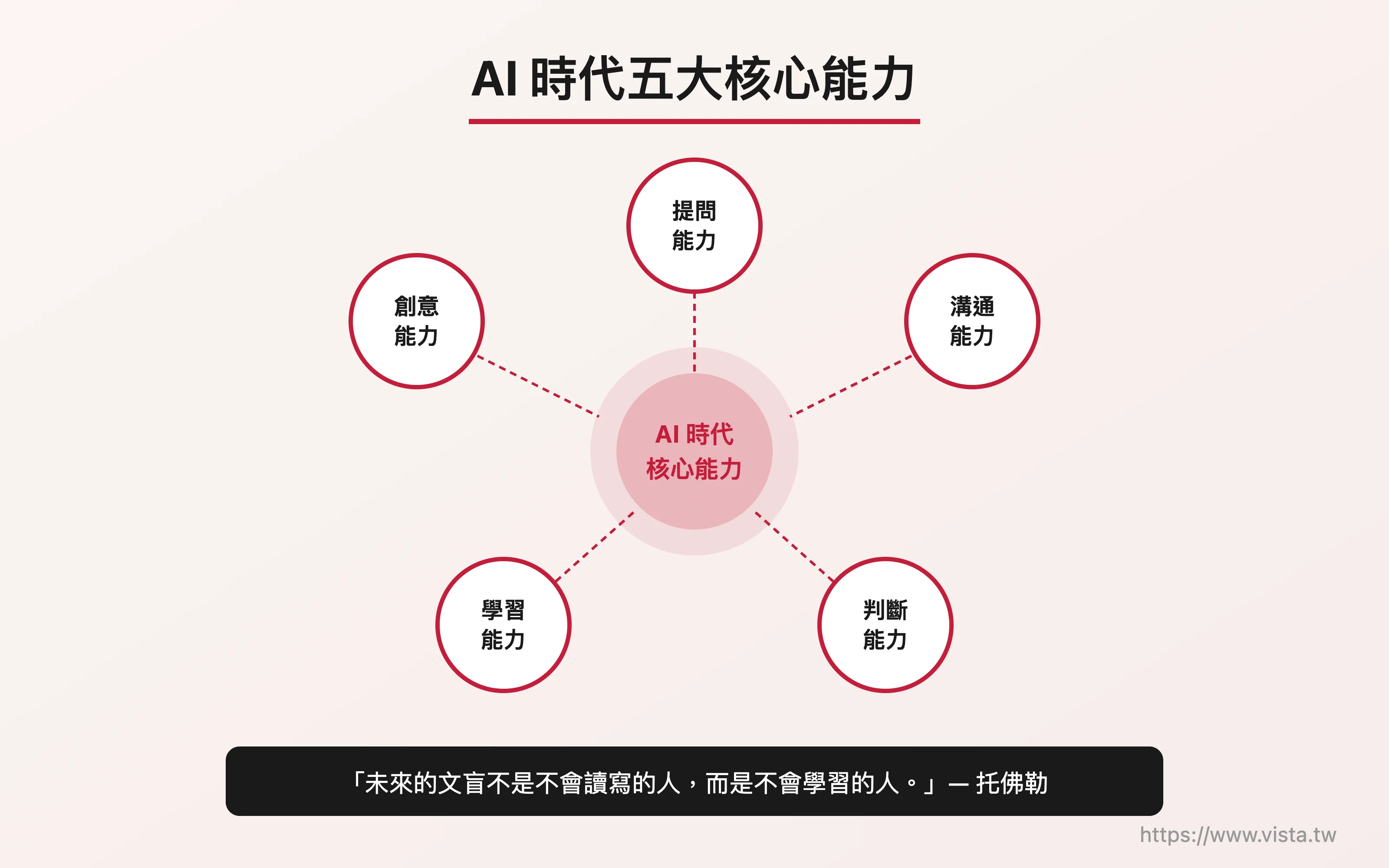 ▲ Five core competencies in the AI era
So, what are the most important core capabilities in the AI era? I think there are five: questioning ability, communication ability, judgment ability, learning ability and creative ability. These five abilities are not technical thresholds, but soft skills that everyone can improve through practice. FuturistAlvin Toffler Toffler once famously said:
“The illiterate people of the future will not be those who cannot read and write, but those who cannot learn.”
This sentence is even more applicable in the AI era and deserves our mutual encouragement.
What is Vibe Coding? Write programs by speaking
To put it simply, Vibe Coding is a brand new way of creation - you don’t need to learn complex programming languages, you just need to talk to AI in natural language, and it can help you generate program code. “Vibe” means atmosphere and feeling, so Vibe Coding means “say the feeling you want and let AI help you realize it.”
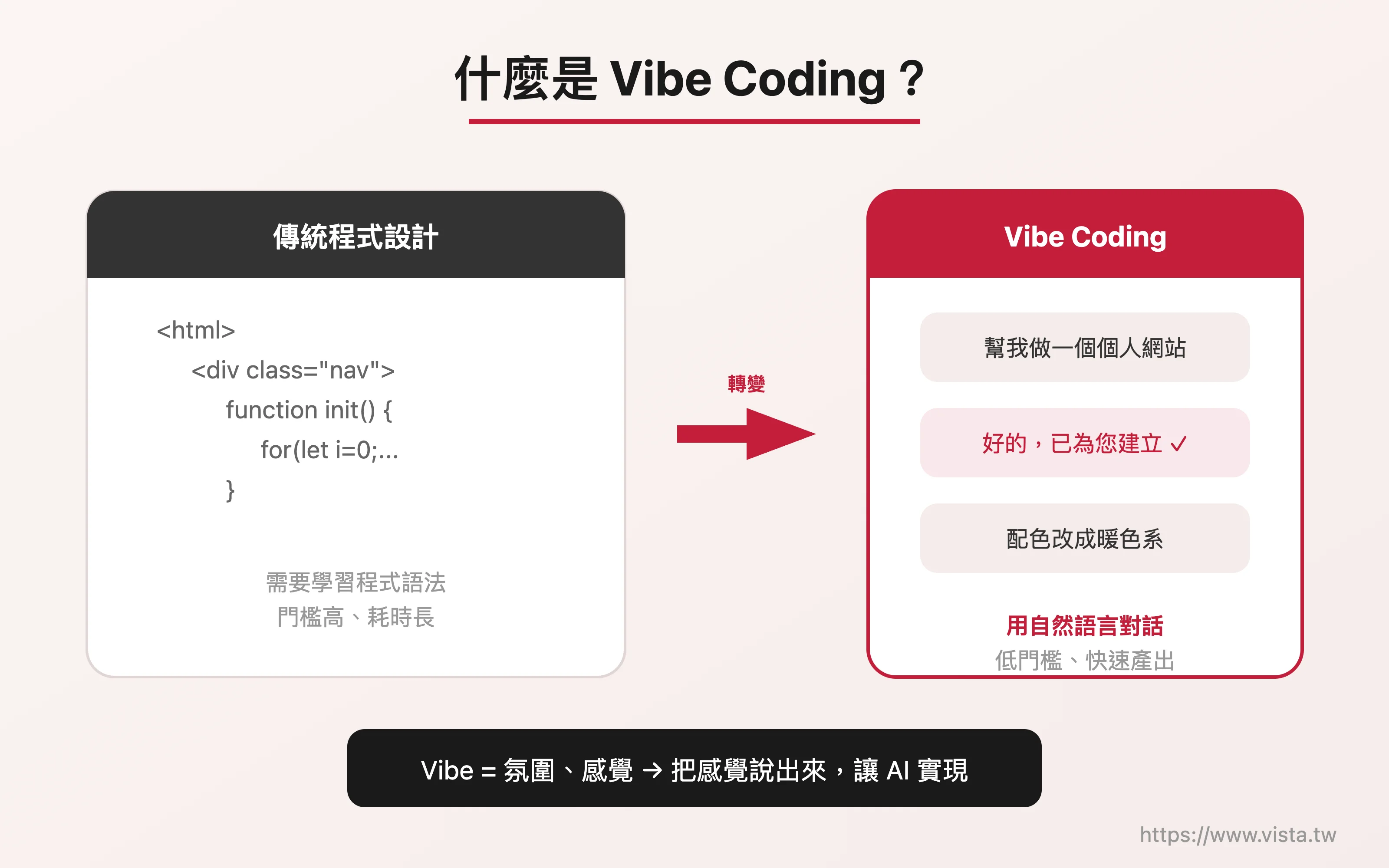 *▲ What is Vibe Coding? *
In the past, if we wanted to write programs, we needed to understand logic and the grammar of various programming languages. The learning threshold was very high. But now, as long as you can clearly state the desired result, AI can basically help you complete it. In this way, it not only significantly lowers the threshold for entering the world of programming, but also shortens the distance between ideas and implementation.
For example: I am very interested in music, but I am not a music major, and I can’t even read music notation. But through Vibe Coding, I had the opportunity to make a music-related app. Having said that, this is the charm of Vibe Coding in promoting cross-field innovation.
Why learn Vibe Coding?
Well, the reason is very simple - since childhood, each of us has many ideas and dreams, but in the past, these often required experts to help realize them, and even cost a lot of time and money. Nowadays, through Vibe Coding, we can make a prototype or a website in a few hours without any imitation of others.
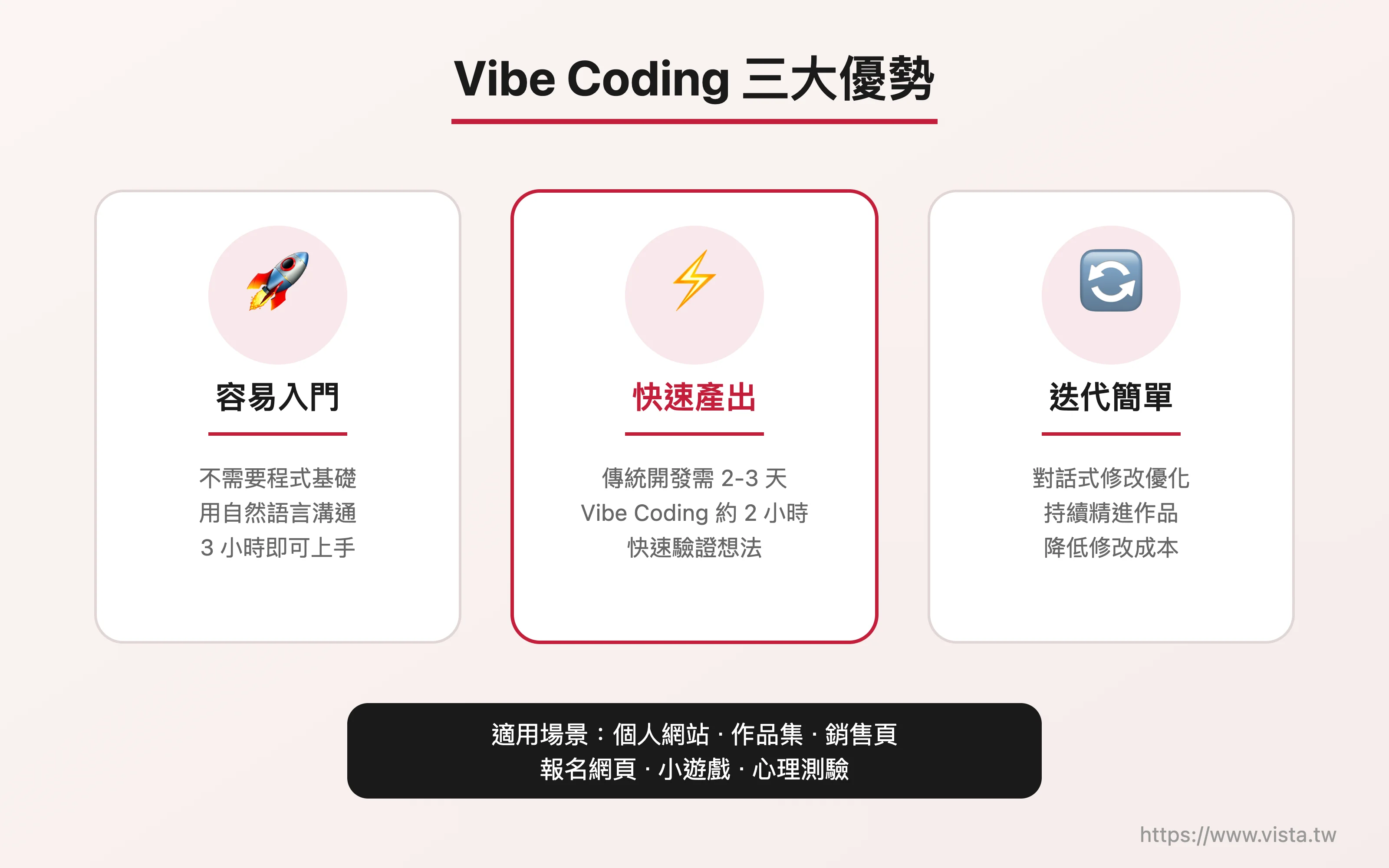 ▲Three major advantages of Vibe Coding
The three major advantages of Vibe Coding are very obvious: first, it is easy to get started; second, it can make prototypes very quickly; third, iterative modifications are relatively simple. Taking my own Vibe Coding course as an example, students can make their own finished products in just three hours - and most of these students have no programming background.
Seek something first, then seek good. If you’re new to Vibe Coding, start with something you’re familiar with or a smaller page.
So, what is Vibe Coding good for? Personal website, portfolio, sales page, registration page, mini-game or psychological test… these are all perfect. However, if you want to build a complex project that requires information security, such as a shopping website or cash flow system, I suggest that you need to plan more carefully first, and even need the assistance of professional engineers.
My advice: If you’re new to Vibe Coding, start with something you’re familiar with or a smaller page. For example, it is good to develop a web game or a psychological test. After slowly accumulating experience and insights, you can then challenge a larger-scale project. Seek something first, then seek good.
The core process of Vibe Coding
The process of Vibe Coding is actually very intuitive and can be summarized into five steps.
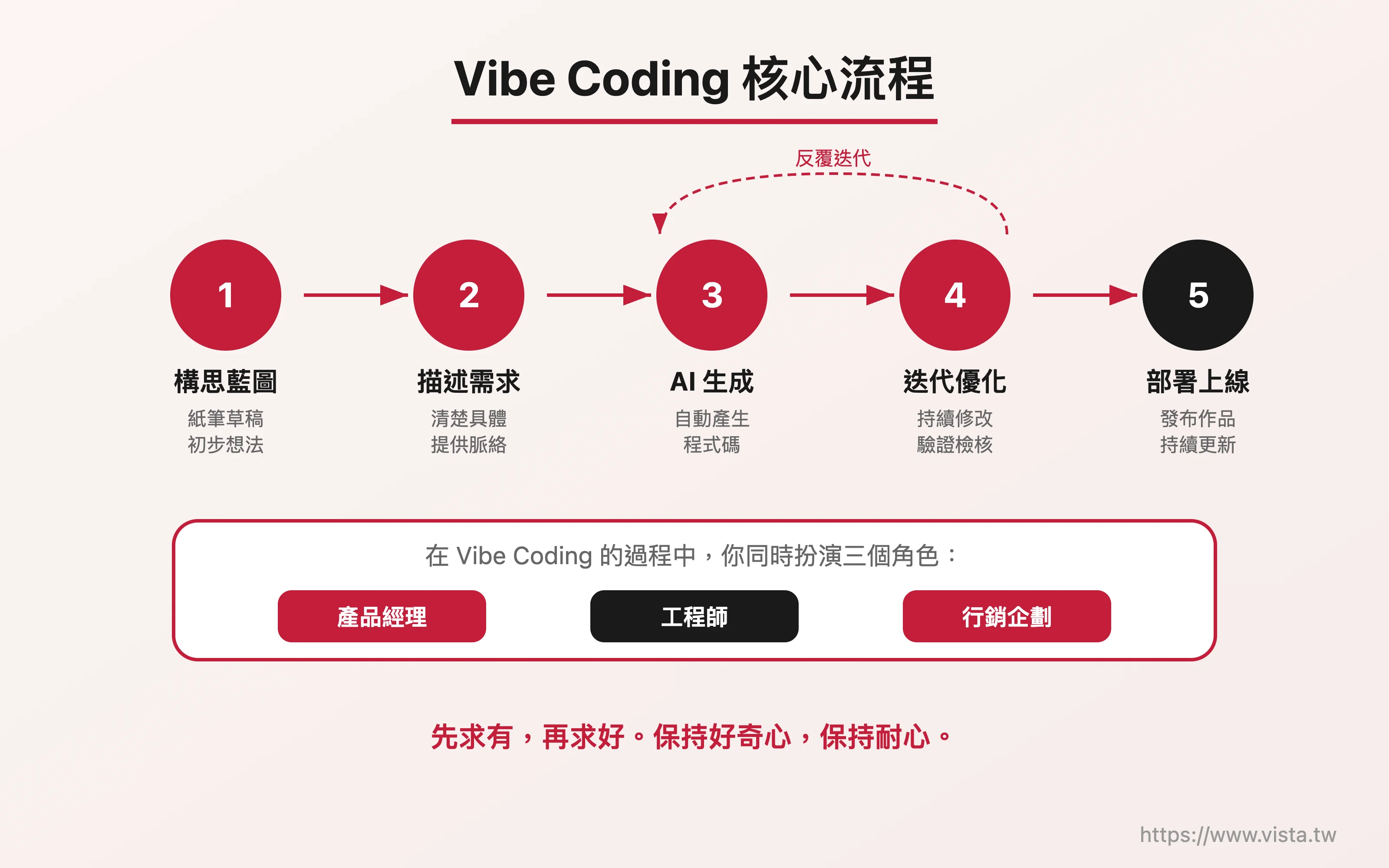 ▲ Vibe Coding core process
First, you need to have a preliminary idea or blueprint. If you can, prepare some pen and paper, draw out your draft or blueprint, or even take a photo with your phone and send it to the AI for reference. Next, describe your needs clearly - this step is very critical, because the more precise you describe it, the better the AI will be able to understand what you want?
Then, let AI generate the draft for you. You may not be very satisfied with the first version of the work, but it doesn’t matter, we can continue to optimize it. The next step is to iterate and modify until you are satisfied. Finally, deploy the finished product online.
In the past, it might take at least two or three days to develop a web page work using traditional methods. Now through Vibe Coding, preliminary results may be available in two hours.
In the past, it might take at least two or three days to develop a web page using traditional methods. Now through Vibe Coding, preliminary results may be available in two hours. This improvement in efficiency is naturally amazing.
In this process, you actually play three roles at the same time: engineer (responsible for development), product manager (responsible for planning), and marketing planner (responsible for presentation). Having said that, this is the best embodiment of the cross-field development in the AI era.
Key Elements of Effective Vibe Coding
To maximize the effectiveness of Vibe Coding, there are a few key elements worth paying special attention to.
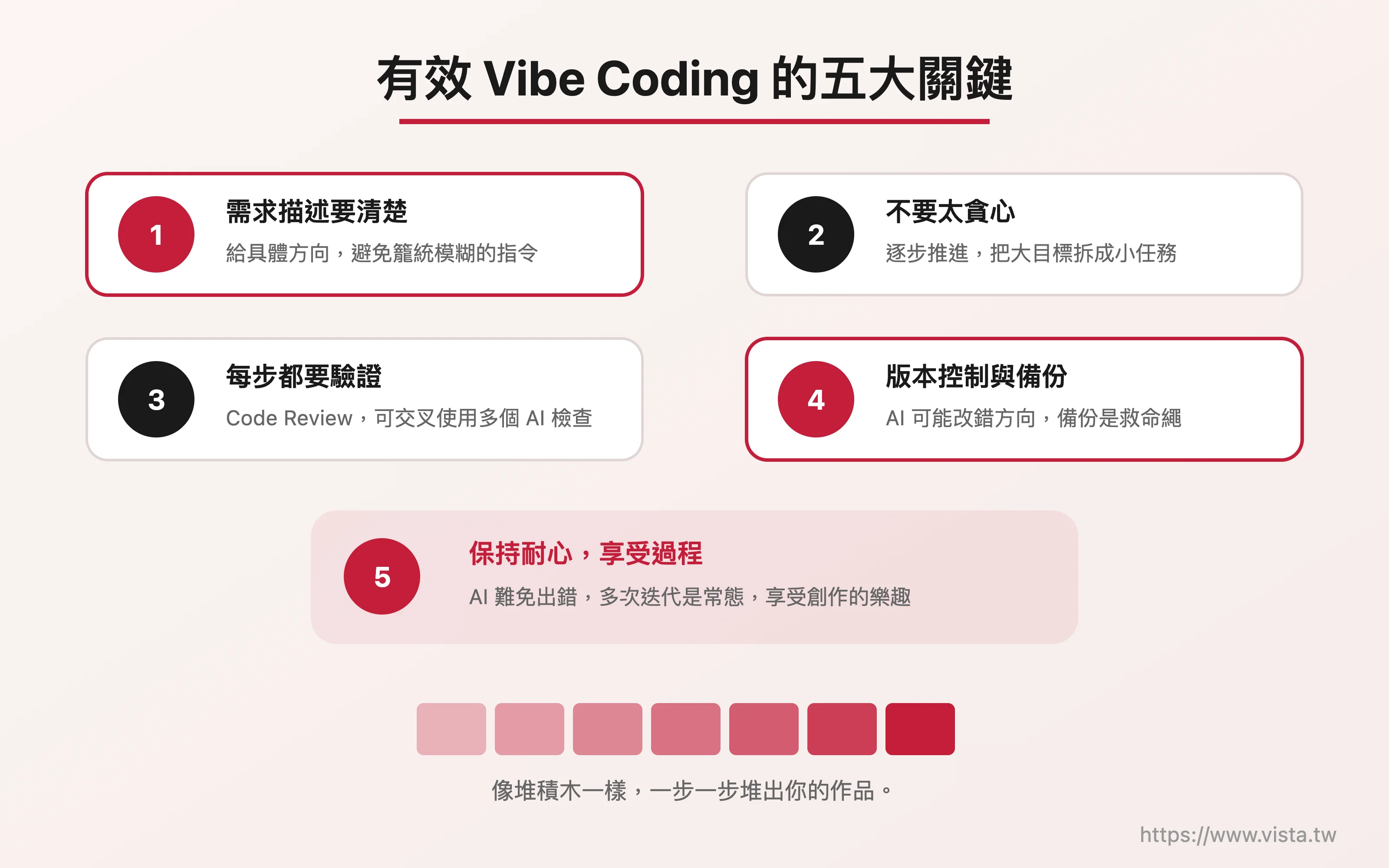 ▲ Five Keys to Effective Vibe Coding
**First, the requirements must be clearly described. ** Don’t just tell AI “Please help me make a beautiful website” - it is difficult for AI to understand what “very beautiful” means. You need to give it specific direction: what color scheme, what layout, what style. If you can directly provide a color code (such as #2196F3), or say “I want blue like Facebook”, AI can understand your needs more accurately.
**Second, don’t be too greedy. ** Don’t throw all functions to the AI at once, but proceed step by step according to the plan. Just like playing with building blocks when you were a child, you can make a small thing first and slowly build it up. Break down big goals into small tasks and complete them one by one.
**Third, every small function must be verified. ** Code Review (code review) is very important. You can check it yourself, let AI check it, or even post the code to another AI tool for cross-validation. Of course, if it is a large-scale project, it will be safer to ask real experts to check it!
**Fourth, do a good job of version control and backup. ** I want to emphasize this point. Because AI sometimes makes mistakes and changes in the wrong direction, if you don’t make a backup, your previous efforts may be in vain.
**Fifth, stay patient and enjoy the process. ** AI is indeed powerful, but it will inevitably have hallucinations or errors. Sometimes you need to communicate back and forth and iterate multiple times, which is normal. The important thing is to be patient and curious, and enjoy the creative joy that Vibe Coding brings.
🎯 **Want to create your first digital work? **
In Vibe Coding Practical Workshop, you will start from scratch and use natural language to build your own website or app in three hours - no programming background is required. Whether you are a teacher, marketer, freelancer or entrepreneur, you can find your creative method here.
Make good use of reference examples to find your own style
If you want to make a website or a small game and see other people’s good works, of course you can use them as a reference. However, you need to first prompt the AI which part you want to refer to - whether it is color matching, layout, interaction method, or overall style. Make the direction clear in advance so that the AI will not “learn randomly”.
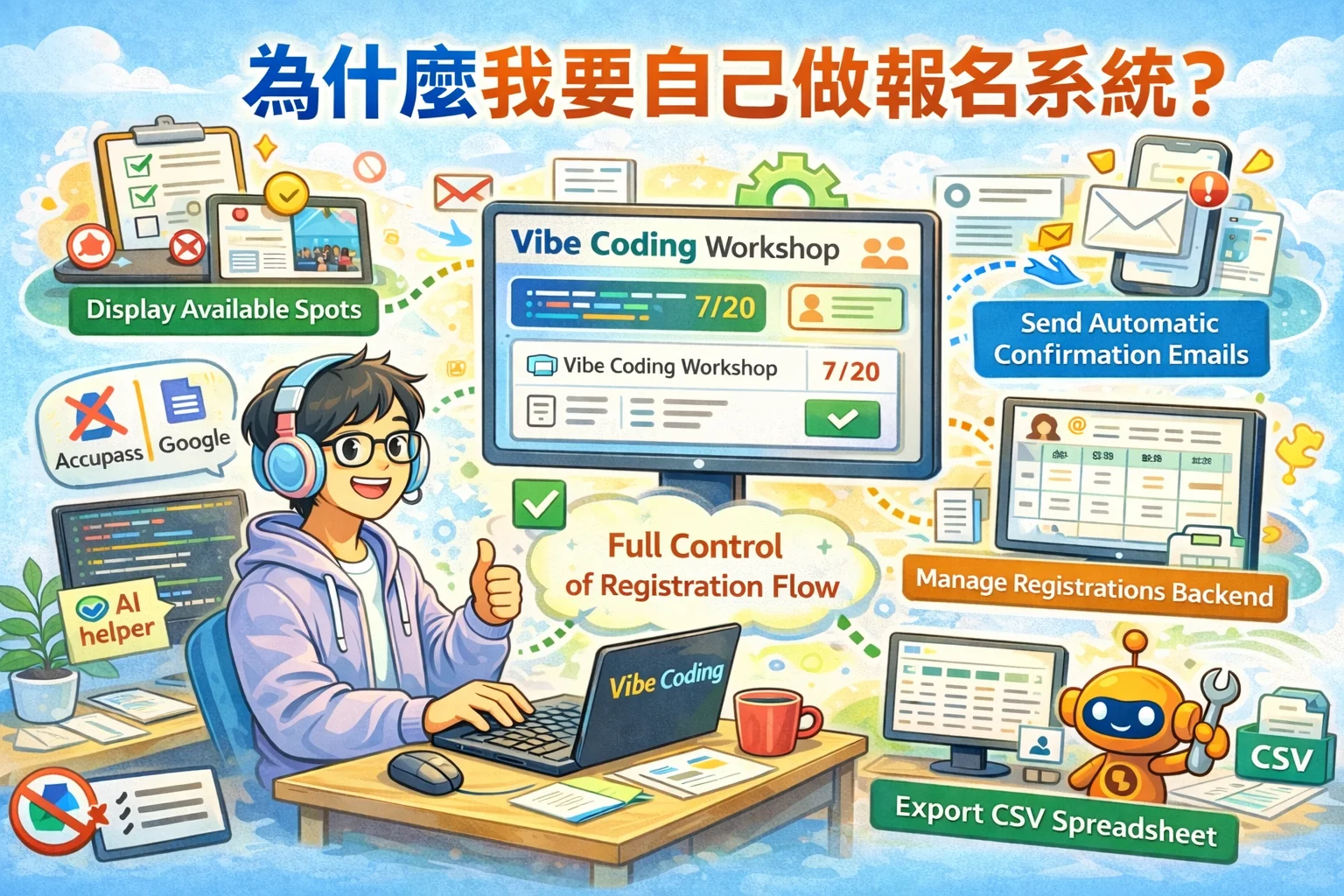
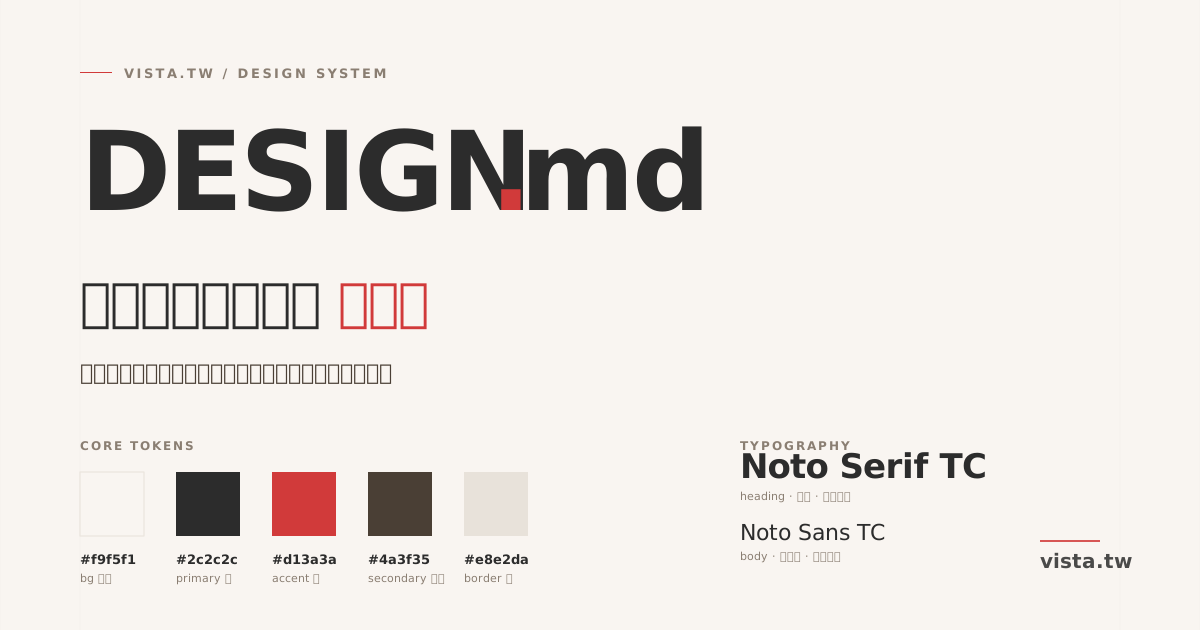
For example, I recently rebuilt my personal website (vista.tw), and I slowly developed my favorite colors and styles. I even developed a set of specifications for the manuscript submission process, allowing the AI to execute according to my rules without the need for repeated prompts every time. I suggest that everyone can slowly create their own templates and prompt words, so that future development efficiency will be greatly improved.
How to write a good prompt word?
Prompt word (Prompt) can be said to be the most important bridge between humans and AI. Good prompt words will directly affect the quality of AI output. If you still use a relatively simple way to communicate with AI, the finished product may only be 50 or 60%. But if you’re willing to put a little more thought into refining your prompt words, the difference in results can be significant.
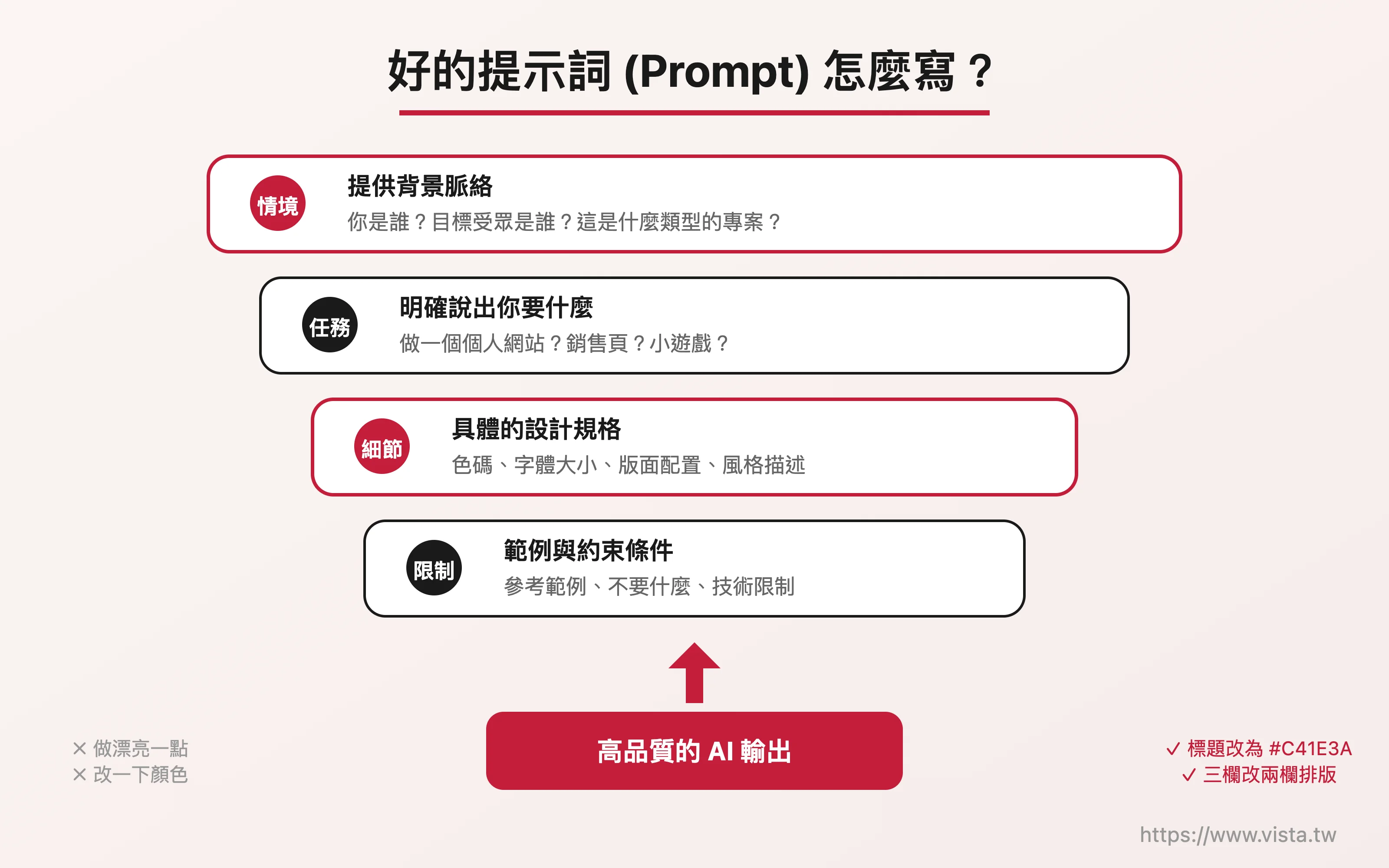 *▲ How to write a good prompt? *
A good prompt should contain several elements: clear situation setting, specific task description, sufficient details, context, and verifiable output standards. You can imagine that you are talking to a very smart assistant that does not know you. The clearer you speak, the closer it will be to what you want.
Don’t just say “I want to be professional” or “I want to be lively” – these are too general. You need to tell the AI the specific direction: how big the font size should be for the title, what color code should be used for the color, and whether the layout should be two or three columns.
When describing your design style, don’t just say “I want it professional” or “I want it lively” – these are too general. You need to tell the AI the specific direction: how big the font size should be for the title, what color code should be used for the color, whether the layout should be two columns or three columns, and whether the visual style should be literary or technological. The clearer the instructions, the better the AI will be able to produce work that satisfies you.
Disassembly tasks: Develop like stacking blocks
The same goes for the modification process. Don’t just say “Change it here” and “Adjust it there”, but tell the AI clearly: “Change the title font to 24px, change the color to #333333, and change the three columns to two columns.” It is the most efficient way to grasp the general direction first and then modify the details.
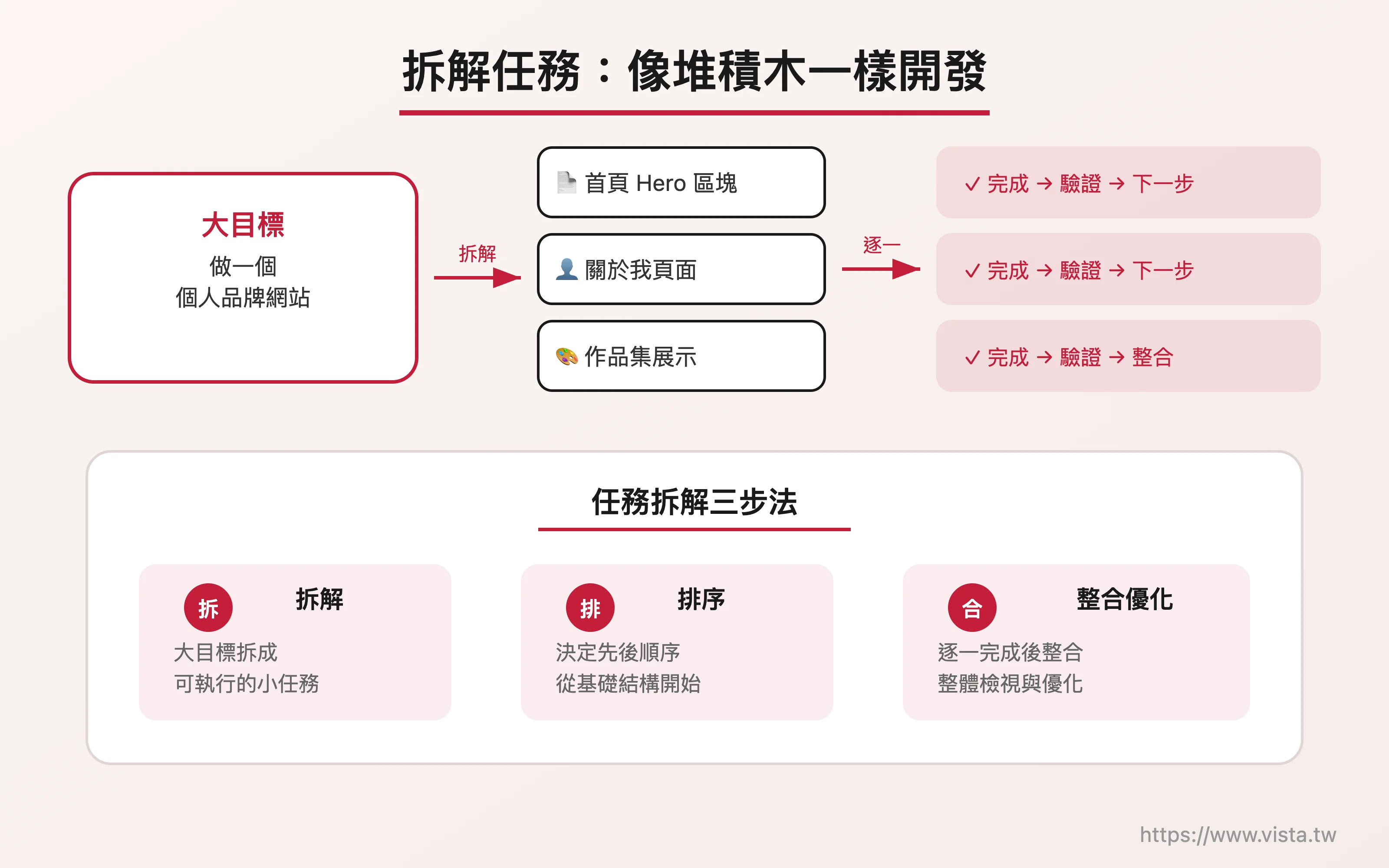 ▲ Disassembly tasks: Develop like stacking blocks
Inventory of commonly used Vibe Coding tools
There are many Vibe Coding tools on the market to choose from. Here are a few that I think are worthy of attention.
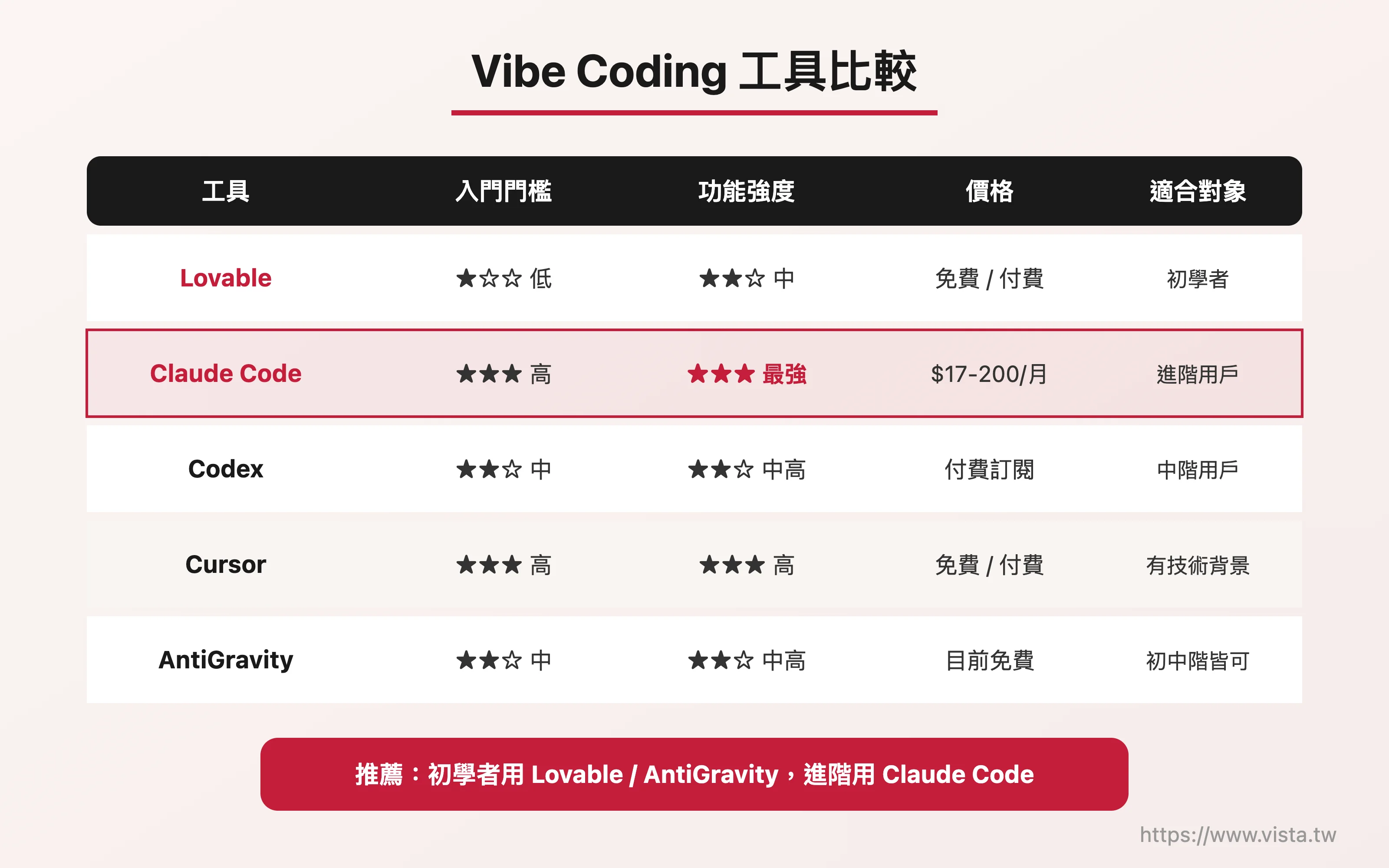 ▲ Vibe Coding Tool Comparison
Lovable is a tool with a very friendly interface and suitable for beginners. Its operation interface is cute and lively, and it is not as “dark” and stressful as other tools. You just need to describe your needs in natural language, and it can quickly generate finished products. For example, if you want to make a Tetris web game, just tell it so and it can make it quickly. Lovable has free and paid versions, and beginners can try it out with a free account first. However, its functions are relatively basic. If you want to make more complex applications, you may need to consider other tools.
Claude Code is a professional program development tool launched by Anthropic. For now, it can be said to be the king in the field of Vibe Coding. It’s very powerful and can do great things. However, its learning curve is slightly steeper, and the command line interface (Command Line) at the beginning may be stressful for beginners. But once you cross that threshold, it’s easy to move on. Claude Code basically requires payment. The Pro plan is $17 per month. If you are serious about writing programs, the Pro quota may not be enough. The higher-end Max plan is available at $100 or $200 per month, and you can evaluate it based on your needs and budget.
Codex is a specialized programming tool launched by OpenAI (ChatGPT). It has its own App and the level is quite good. I have a good friend who is a lecturer on time management. He originally knew nothing about programming. After taking my class, he now exclusively uses Codex to develop his own App, and he is doing quite well.
Cursor is also a very famous Vibe Coding tool, but for users with non-technical background, the initial setting will be a little more complicated and you need to evaluate it yourself.
Google AntiGravity is a tool launched by Google and I highly recommend it. It is currently free, backed by Google’s technical support, and has a certain level of quality. Although the interface seems a bit complicated at first glance (three-column, English interface), once you cross this threshold, it is very smooth to use. The Vibe Coding course I taught myself mainly teaches this tool. Based on my teaching experience, students from different backgrounds—whether they are lawyers, university teachers, or music teachers—can get started quickly.
How to choose the tool that suits you?
There are so many tools, how do you choose? I suggest evaluating from three aspects: usage threshold, functional completeness and price.
If you’re a beginner, Lovable, Codex, or AntiGravity are all good options to get started. If you are highly interested in Vibe Coding and want to delve into it, I highly recommend Claude Code. However, AI is developing very fast, with new changes every day, and the market landscape may be different in two or three months, so it is important to keep an open mind.
My suggestion is: apply for a few free accounts to try out at the beginning, and then upgrade to a paid plan when you have enough energy or really want to delve deeper. You don’t necessarily have to chase the latest and greatest tools from the beginning. Finding the one that suits you best is the key.
Also, I would like to remind everyone of the cost of using AI. Some of my students started designing their works with great interest after returning from class. However, due to constant revision and iteration, they quickly used up their free quota. Therefore, before using it, it is recommended to evaluate your own needs and budget and allocate resources reasonably.
Tools are just means, your creativity is the core
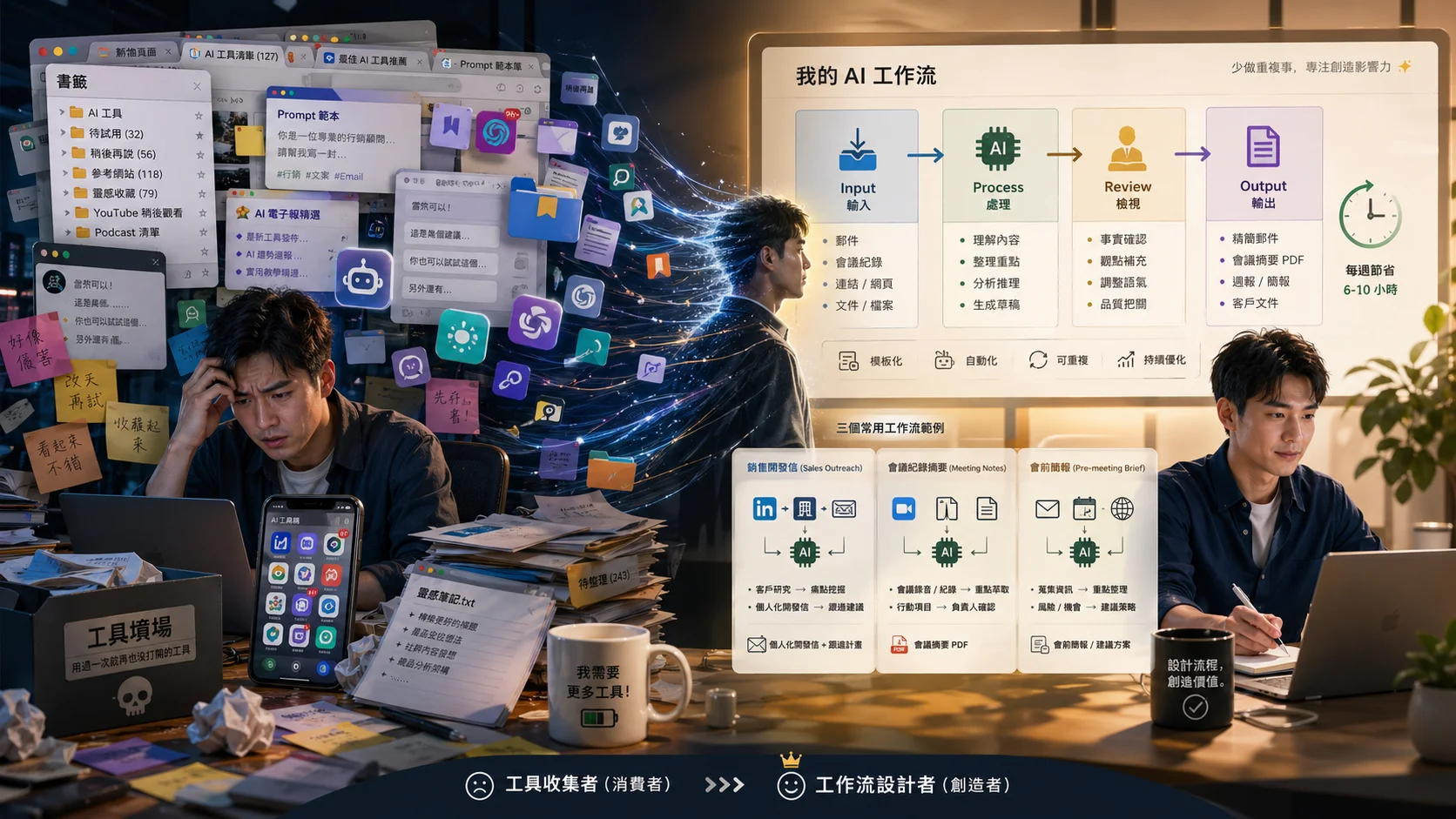
In the past two or three years, many people have asked me: “Teacher, what AI tool should I use?” My answer is always the same: tools are just means, and your creativity is the core.
 ▲ Tools are just means, your creativity is the core
Many people have been chasing the latest and greatest tools, but they have ignored the most important things - your own ideas, your creativity, and the problems you want to solve. No matter what tools you use, it is your judgment and creativity that ultimately determine the quality of your work.
I encourage everyone, after reading books or listening to many lectures, the most important thing is to actually do it. Don’t be afraid of making mistakes, the AI won’t scold you anyway, it’s very patient. In the process of doing more and making more mistakes, you will naturally learn a lot and become more and more aware. As long as you do it for a while, you will find that Vibe Coding is a very interesting thing - even if you are not from the engineering department or the asset management department, you can slowly develop a concept of programming and find a lot of fun in it.
The best way to learn is actually practice. Turn on your computer, choose a tool that interests you, start with a small project, and enjoy the process of creating digital works using natural language.
Please remember: seek something first, then something good. Stay curious, stay patient, and let us continue to grow in the AI era together!
Further reading
- Stop waiting for engineers! Vibe Coding lets your ideas run today
- Vibe Coding drives marketing superpower: Let AI be your digital creative partner
- From 0 to 2,400 lists - a complete review of building a Vibe Coding community in one day
- When AI makes answers cheap, what’s really valuable is whether your questions are accurate enough
External resources
- Complete introduction to Vibe Coding
- Vibe Coding Practical Community (Facebook Community)
- Google AntiGravity official website
- Claude Code official documentation
📖 深入探索相關主題